$ 0012. Django's Userform and Password Validation
| Author | luna-negra |
| Created On | 2024-09-05 10:30:00+00:00 |
| Edited On | 2024-09-05 10:30:00+00:00 |
| Tags | #django #usercreatioform #authenticationform #django's validation |
I. Preview
When you use the django's model form to handle the user information, Django will provide a variety of forms referring to your user model. If your user model table contains username, password, l_name, r_name with CharField, forms will constitute html forms tags.
However, All fields in your user model will be used in or not in some situation. For example in sign-in page, Form have to contain only username and password. In another example with sign-up page, you have to add one more password input tags where the user must input their password again.
Certainely, you can restrict to show required fields by 'fields' and 'exclude' variable in Meta class or add new fields to your form class. But sometimes this work makes the django developers spend much time to create their own user application. Let's look at the sample below.
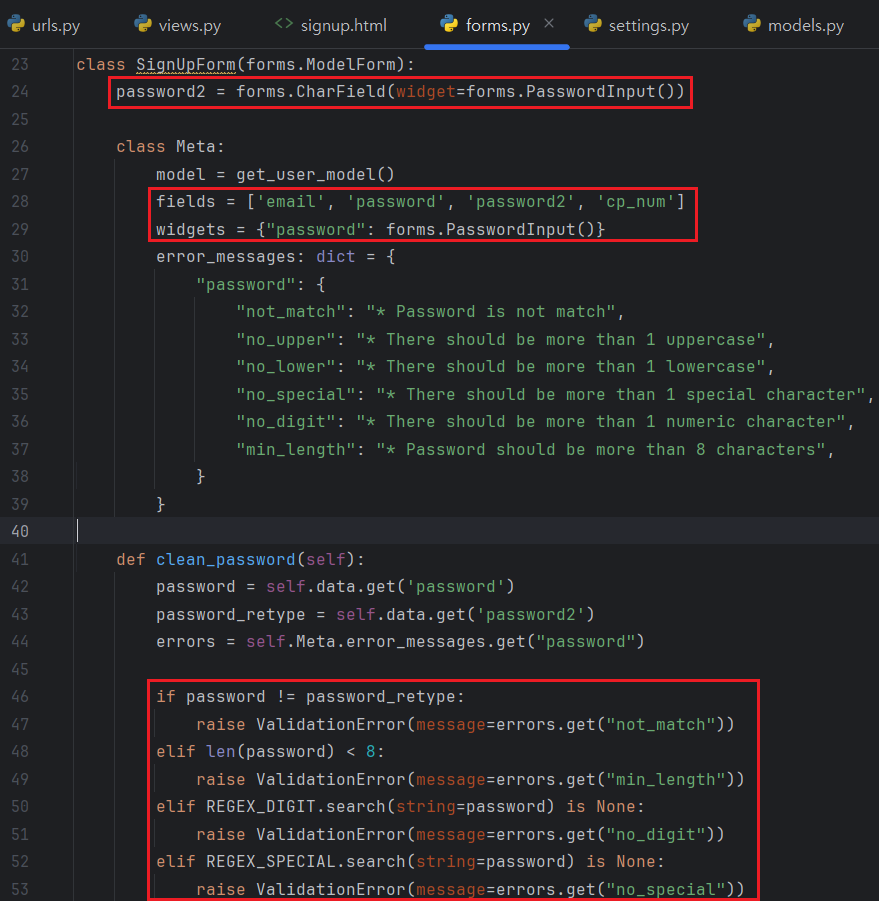
In the sample above, form class is set with 'fields' and new fields 'password2' is added on it. So my sign-up page will show fields that are only required to sign-up.
Now, let's assume that you create a new form class to edit your account, especially edit password. All websites have a password policy. It defines how the password should be made. For example, recent website require more than 8 characters, containing one or more upper, lower, digit and special character when you create your password or edit it.
To do validate user input password, you should create clean_password method in your form class, and add code to validate input password. In addition, if you want to show the error message, when user provoke issues during password work, you also have to add 'error_messages' variables to internal Meta class. These make your code unreadable and there would be some possibility to increase difficulty of maintenance.
In this reason, Django gives template form classes related with user model. You can find these classes on 'django.contrib.auth.forms' package.
- AuthenticationForm : Sign-Up
- UserCreationForm : Sign-In. Inherits BaseUserCreationForm
- BaseUserCreationForm: Sign-In
- UserChangeForm : Edit User Information
- PasswordChangeForm : Edit User Information
- PasswordResetForm : Edit User Information
- SetPasswordForm : Sign-Up
- AdminPasswordChangeForm : : Edit User Information
In this post, I will show how to use Django's built-in user form with 'AuthenticationForm' and 'UserCreationForm'.
II. AuthenticationForm
AuthenticationForm is charge of sign-in process. It provides only two fields 'username(USER_FIELDS)' and 'password' which are required to sign-in. This form just validate whether the users who try to sign-in are exist in DB or whether password is match. It is important to know that this form does not make an authenticated user to sign-in directly. If the authentication process in this form is failed, this form will raise ValiationError.
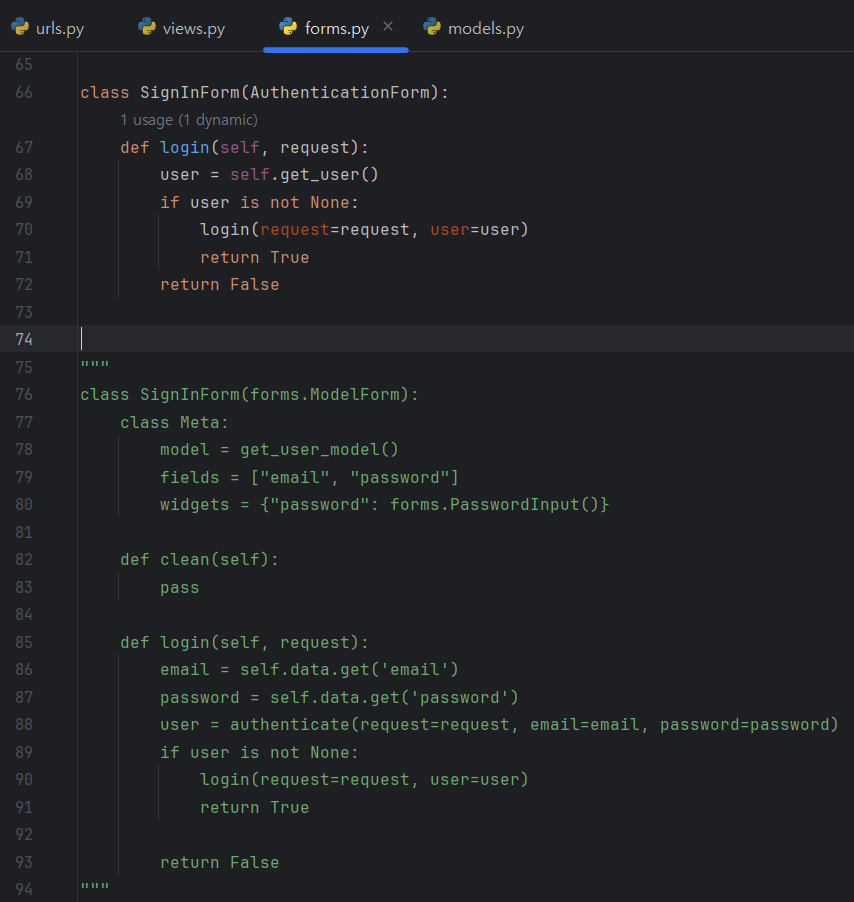
Let me create a new SignIn Form inheriting AuthenticationForm.
1
2
3
4
5
6
7
#  [ forms.py ]
#from django.contrib.auth.forms import Authentication
#...
#
#class SignInForm(AuthenticationForm):
#    pass
#
There are no code in SignInForm except pass. Despite, you can see the username and password fields on your site because SignInForm class inherits AuthenticationForms which contains username and password fields.
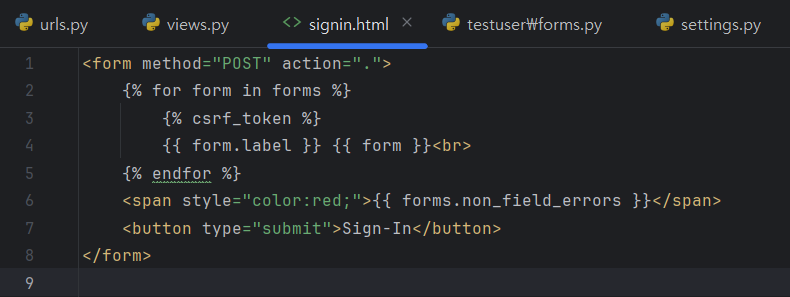
Continuously, let me edit 'views.py' and 'signin.html' files for sign-in process.
1
2
3
4
5
6
7
8
9
10
11
12
13
14
15
#  [ views.py ]
#from django.shortcuts import render, redirect
#from .views import SignInForm
#...
#
#def signin(request):
#    context = {"forms": SignInForm()}
#    if request.method == "POST":
#        form = SignInForm(data=request.POST)
#
#        if form.is_valid():
#            return redirect(to="/")
#        context = {"forms": form}
#    return render(request=request, template_name="signup.html", context=context)
#
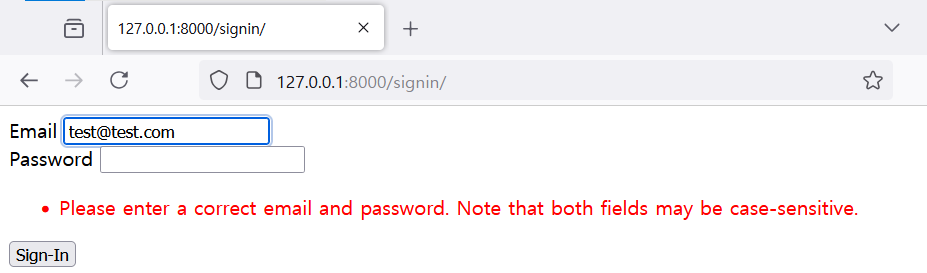
# * You have to set AUTH_USER_MODEL variables on 'settings.py' file.In this status, you can see the username(or USERNAME_FIELD) and password. If you input an account information correctly, you can move to the main page. In other hands, you can see the error message that the account information is not correct.
As I mentioned before, AuthenticationForm does not involve the sign-in, so you have to create your own logic in your SignInForm. I would like to use create 'login()' method and use it from 'views.py' file.
1
2
3
4
5
6
7
8
9
10
11
#  [ views.py ]
#...
#
#def signin(request):
#    ...
#
#        if form.is_valid() and form.login(request=request):
#            return redirect(to="/")
#
#    ...
#
1
2
3
4
5
6
7
8
9
10
11
12
#  [ forms.py ]
#from django.contrib.auth.forms import Authentication
#from django.contrib.autt import login
#...
#
#class SignInForm(AuthenticationForm):
#    def login(self, request):
#        user = self.get_user()
#        if user is not None:
#            login(request=request, user=user)
#            return True
#        return False
You can get an authenticated user object by get_user() method, which are provided by AuthenticationForm. If you make it login, just use login() function located in 'django.contrib.auth'
Now you can sign in with correct account and get a session.
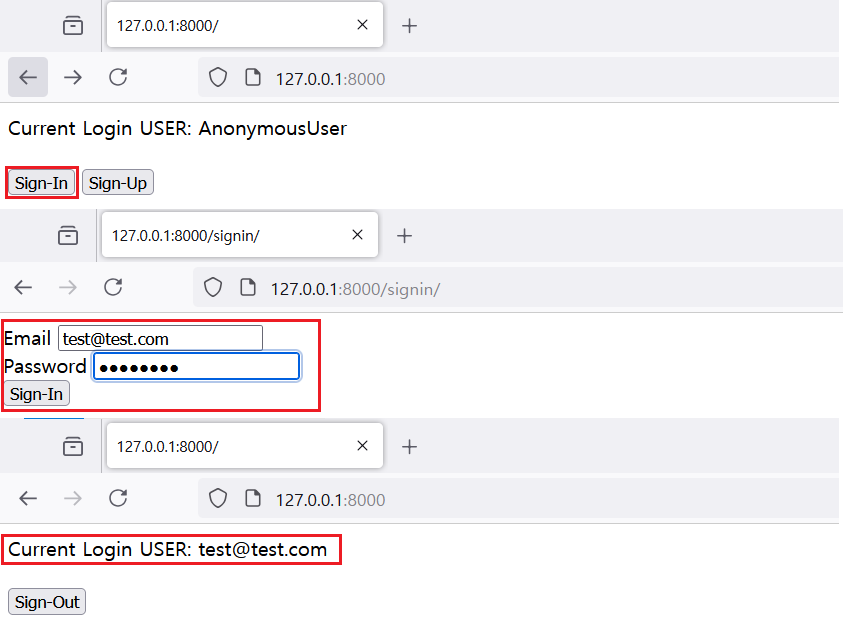
As you saw above example, SignInForm using AuthenticationForm decreases its code more than 50%. It makes the developers read codes easily and you can find the issue rapidly during debugging.
III. UserCreationForm
The next django user form is UserCreationForm. As default, it provides only username and 2 password input fields. Let me just create SignUpForm with UserCreationForm and see what is the picture on my browser.
1
2
3
4
5
6
7
8
#  [ forms.py ]
#
#from django.contrib.auth.forms import UserCreationForm
#...
#
#class SignUpForm(UserCreationForm):
#    pass
#
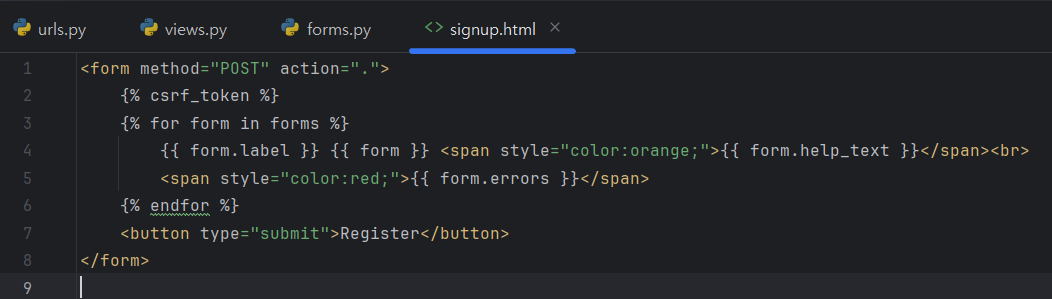
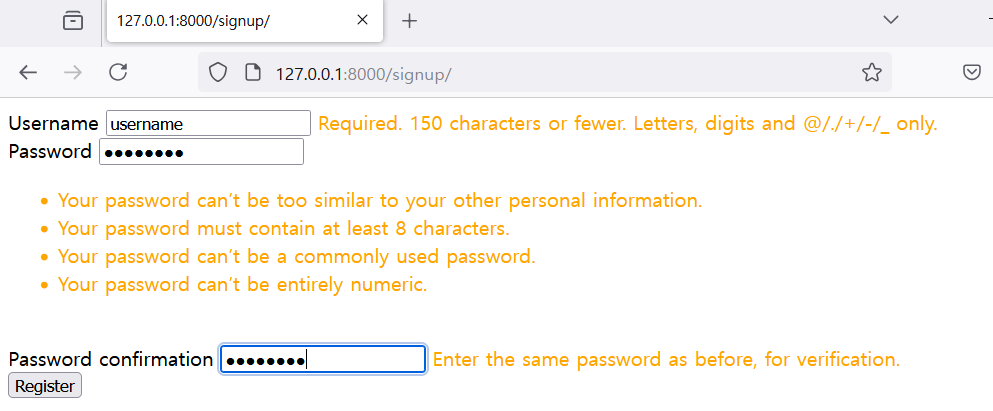
You can see the username and two password fields with some help messages. In fact, sign-in process needs more information except username and password, you have to add more fields to decorate your signup page. But creating additional fields is annoying things, so Django also provides Meta class in UserCreationForm.
In addition, my user model use email fields as an username, so username field provided by UserCreationForm does not work properly. Therefore, I need to add two fields more from the user model. Let me edit forms.py like below.
1
2
3
4
5
6
7
8
9
10
11
#  [ forms.py ]
#
#from django.contrib.auth.forms import UserCreationForm, get_user_model()
#...
#
#class SignUpForm(UserCreationForm):
#    class Meta:
#        model = get_user_model()
#        fields = ["email", "cp_num"]
#        exclude = None
#
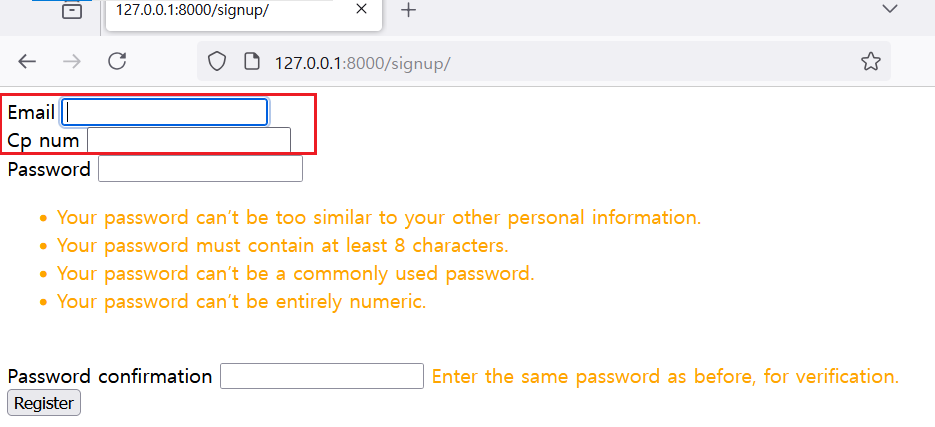
Two password fields which are derived from UserCreationForm, have a fields name as 'password1' and 'password2'. If you want to change the order of fields, just write down the fields in order to 'fields' variables.
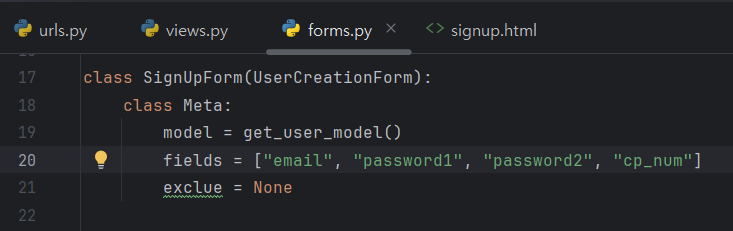
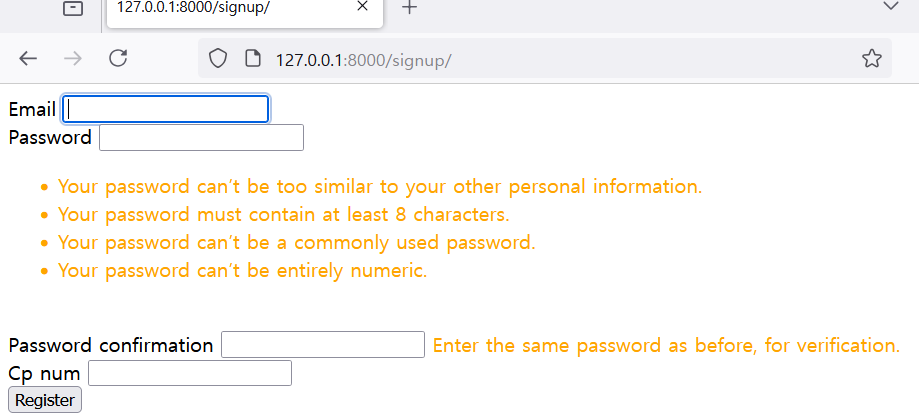
The usage of UserCreationForm is similar with other django user form including AuthenticationForm, so I don't mention it in detail. However, As I mentioned at the Preview section, creating password follows the password policy and user must obey it. Someone may think that adding additional logic should be inevitable but django also give some function to check whether the input password is following password policy or not.
IV. Password Validation
In Current status, you can see the password policy on sign up page, written as a help messages.
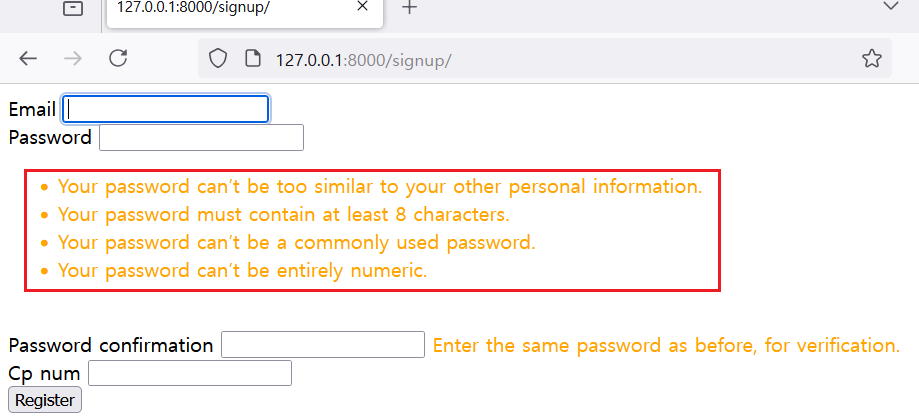
The Django's default password policy is set on the 'settings.py'. There is a variables named AUTH_PASSWORD_VALIDATION and it is constituted by 4 validation class. Django developers can add more validation class in it or exclude.
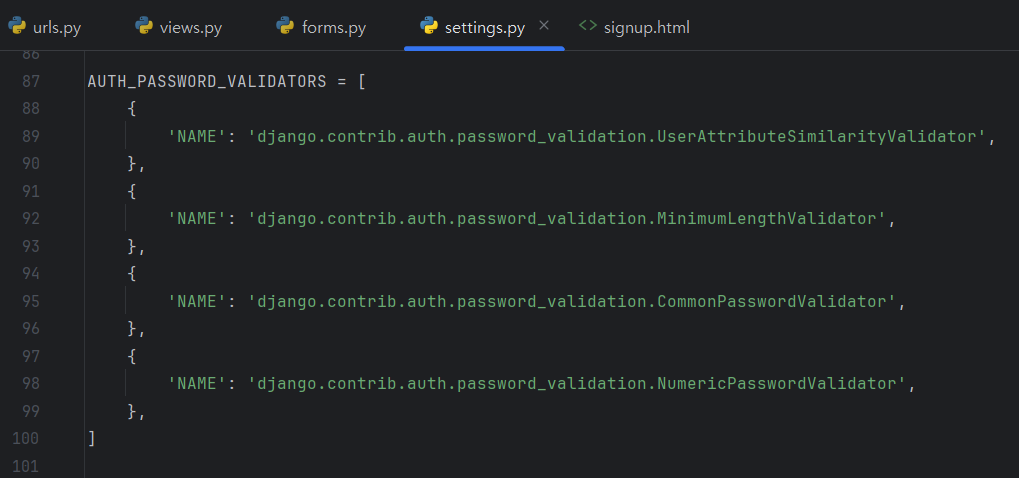
According to this config, password length, numeric password, common password, password similar to the username or email will be prohibited. Try to register new account with password 'test123' and you can see the error messages on sign up site.
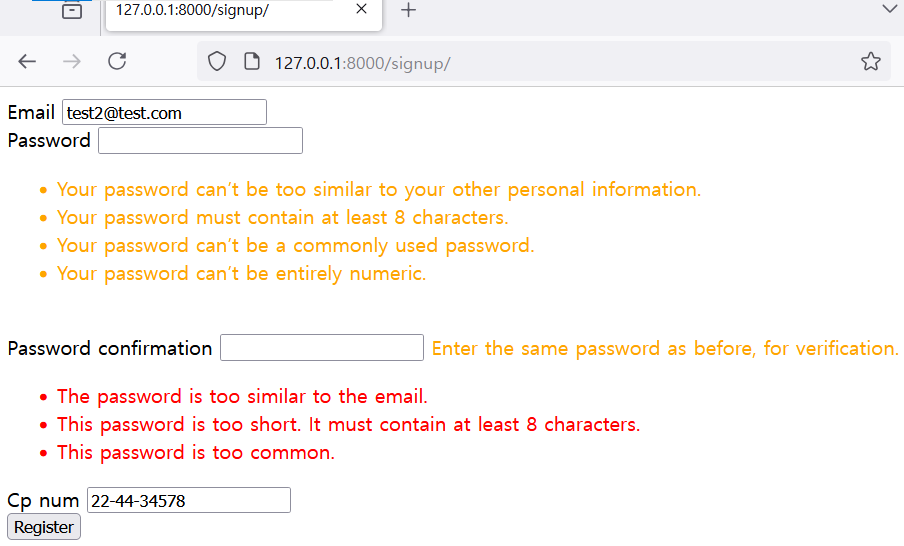
You can see the password 'test123' is denied by Django's validation process.
Then, how can we add more validation rule to our Django web?
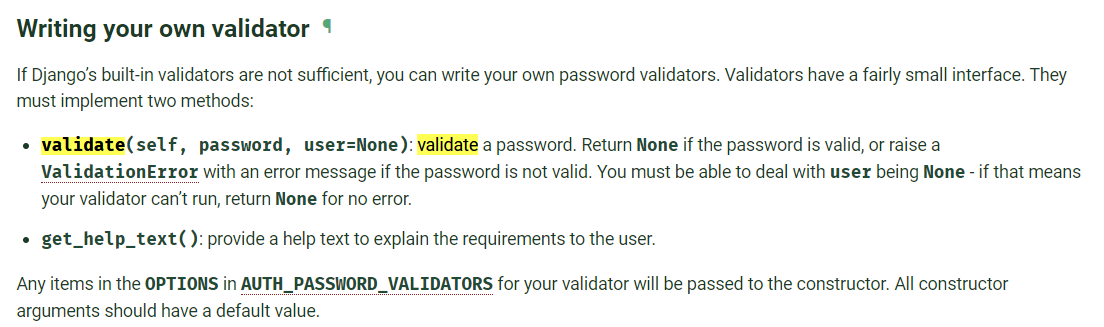
Refer to the manual, let me add new password validator.
1
2
3
4
5
6
7
8
9
10
11
12
# [ validators.py ]
#from django.core.exception import ValidationError
#
#
#class NonUpperPasswordValidator:
#    def validate(self, password, user=None):
#        if not any(x.isupper() for x in password):
#            raise ValidationError("")
#
#    def get_help_text(self):
#        return "[NEW_VALIDATOR] Password must contain more than one upper Characters."
#
1
2
3
4
5
6
7
8
# [ setting.py ]
# ...
# AUTH_PASSWORD_VALIDATORS = [
#    ...
#    {'NAME': 'usertest.validators.NonUpperPasswordValidator'}
#    ...
#]
# ...
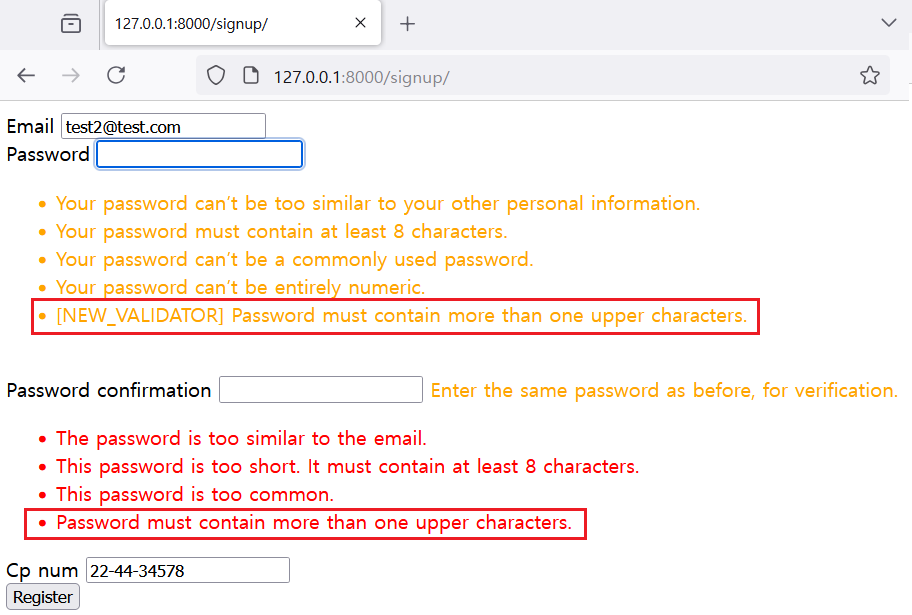
# * Application name is usertestIf you type the password 'test123' again, you can see one more error message that is added to custom validator class.
V. References