$ 0005. Understanding CA and Certificate
| Author | luna-negra |
| Created On | 2024-07-31 07:24:00+00:00 |
| Edited On | 2024-09-07 06:10:00+00:00 |
| Tags | #Certificate Authority #private key #public key #linux system |
I. Preview
TLS or SSL secure the communication between computers connecting with net cable. One of them can encrypt sending data and the receiver is the only person who can decrypt encrypted data. Therefore a person in third party can not know what the communicators talk about. In other words, if you send your data without encrypting, a possibility of revealing your important information would be high.
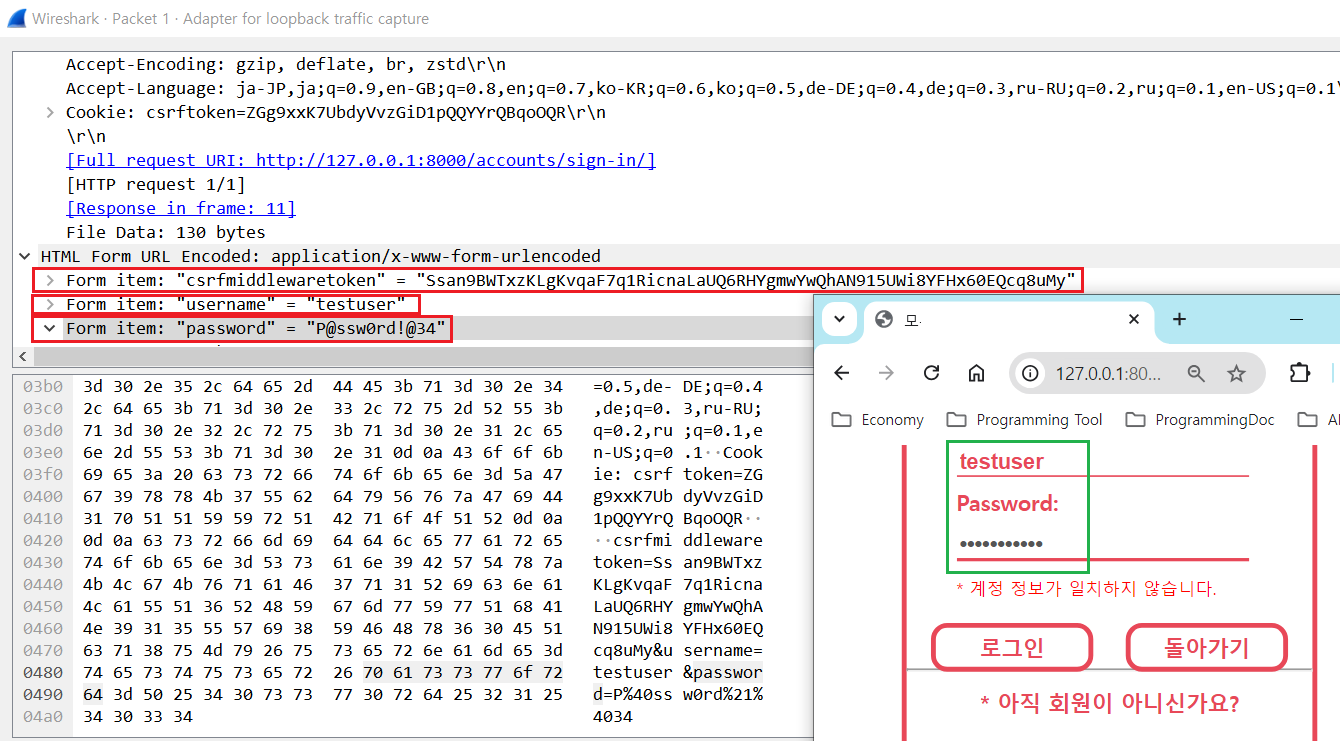
To prevent it, it is better to apply TLS and SSL on your server and make the application use it. Then, what is TLS/SSL and how can we apply it?
II. Architecture
1. Basic Concept of SSL with Simple Example
TLS(Transport Layer Security) or SSL (Secure Socket Layer) are cryptographic technique by using symmetric or asymmetric encryption. These TLS and SSL have almost same thing but TLS is more developed one than SSL and is more used nowadays.
The communicators who use TLS encrypt and decrypt data with private key and public key. In general, person who provides his or her service has private key and the other has public key. The public key is derived from the server's private key by using cryptographic algorithms based on mathematical problems termed one-way functions.
When the client initiates a communication, the client requests the server's public key. The server send the newly created public key to the sender first.
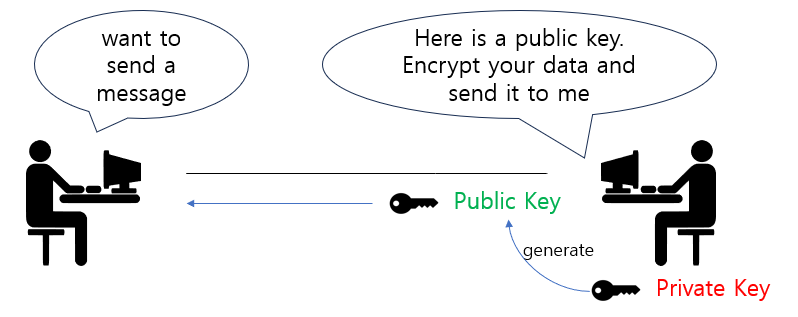
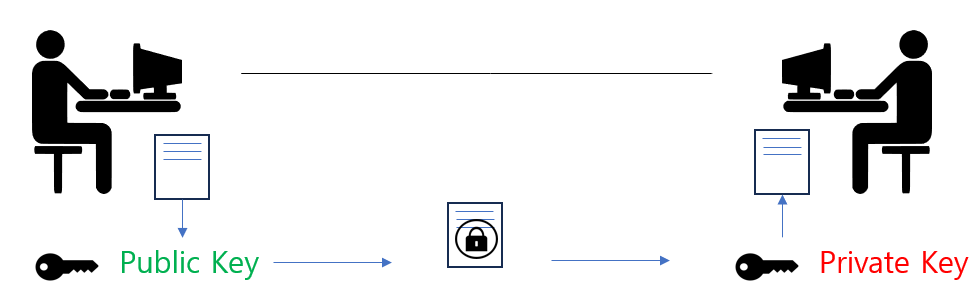
If the client get the public key without issue, the client encrypts his or her data with public key before sending it. The server has a private key which is pair with public key, so can decrypt the client's data.
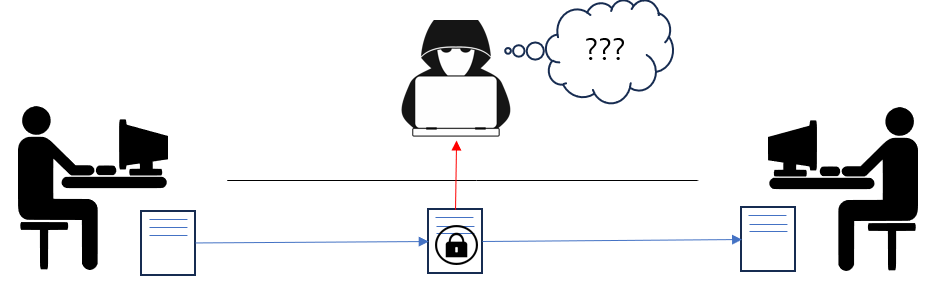
Even though a third one success to hijack the client's data, this data can not be shown because the third one does not have server's private key.
2. Certificate Authorization
Let's assume that the hacker's way to try to take a client's data. The hacker is also able to make his or her own private key and public key. So if the hacker can take the client's first traffic packet, client will not get the server's public key but the hacker's one.
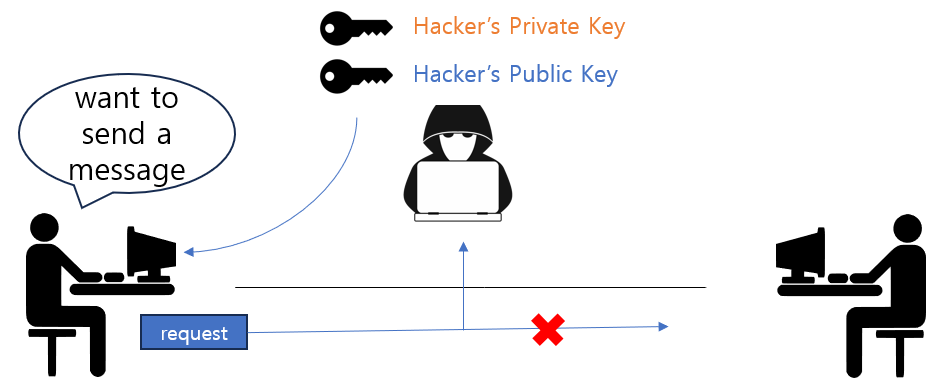
From the example above, we can know that there should be some verifying method whether the public key can be trusted one or not. To solve this problem, There are a few of trusted CA - Certificate Authorization - and they certify which public keys are safe and trusted.
On your browser setting, you can see a list of trusted CA.
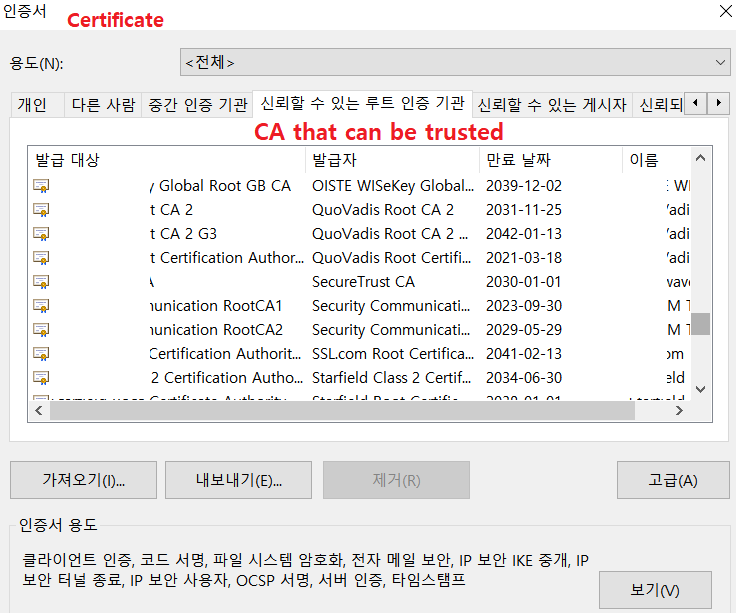
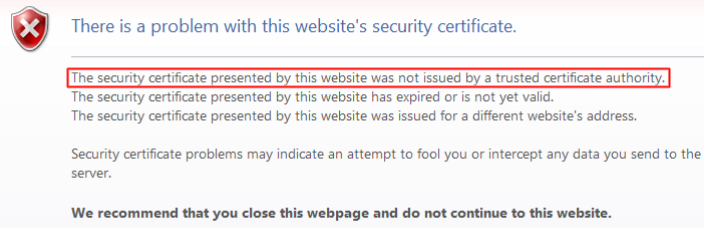
When you visit unknown site and get a public key, your browser verify that the public key is signed by trusted CA. If not, you can see the warning screen that tells you the certificate is not signed by trusted CA.
III. Establish Own CA on Linux
In a Linux, there are some function that create own CA and register a number of CAs as trusted even thought CAs are from outside of server. You can see the trusted CA list on your linux system with command below.
1
2
3
4
5
6
#  : "Print out trusted CA list"
#  : "Ubuntu"
#  ls -lh /etc/ssl/certs/
#
#  : "CentOS 8 Stream"
#  cat /etc/pki/ca-trust/extracted/openssl/ca-bundle.trust.crt  | grep \#
[ Ubuntu ]
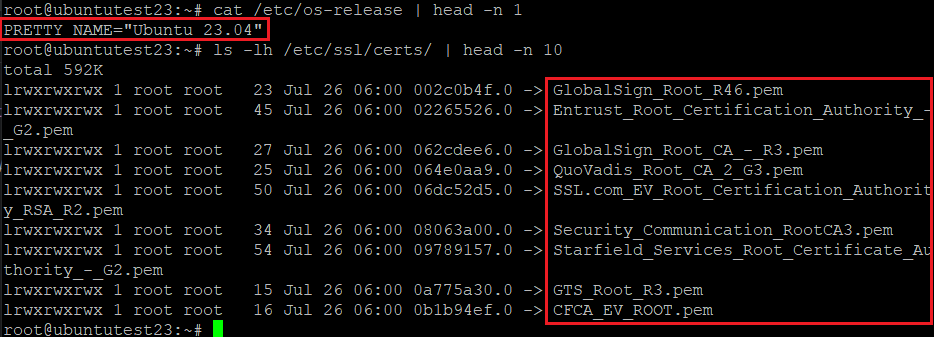
[ CentOS 8 Stream ]
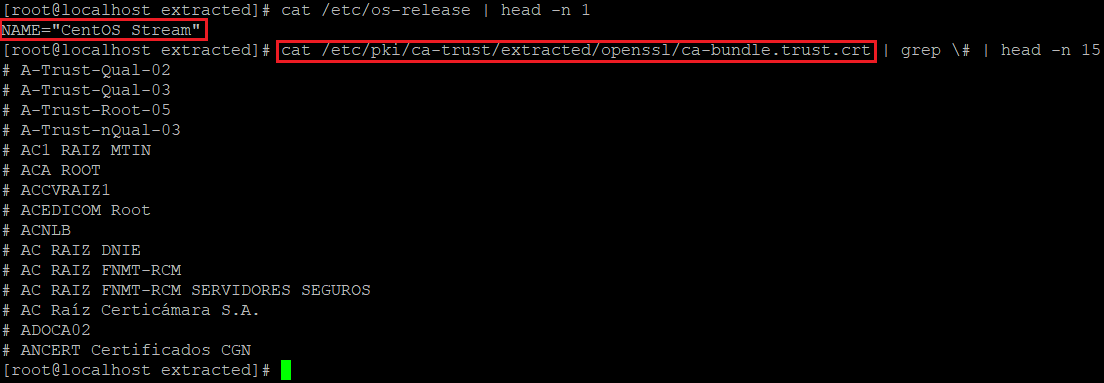
This CA can grave a digital sign on public keys. If the CA are registered as a trusted one and server's public key is signed by trusted CA, TLS communication will be established between the client and the server.
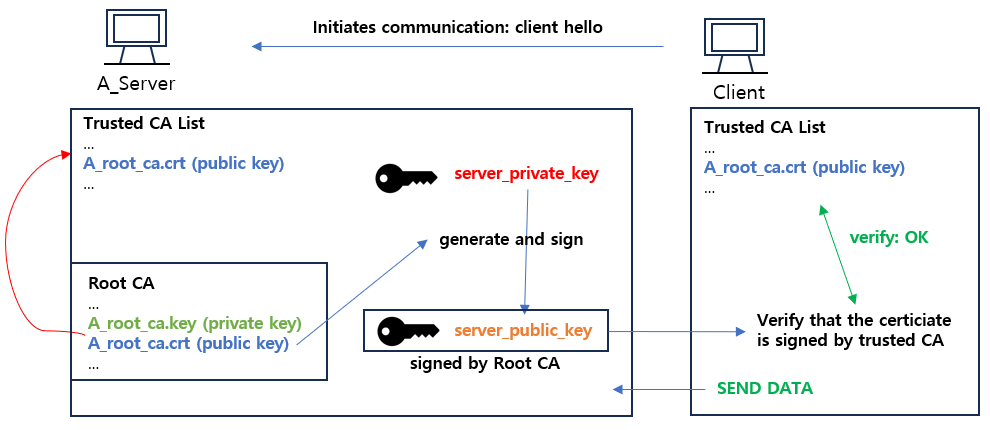
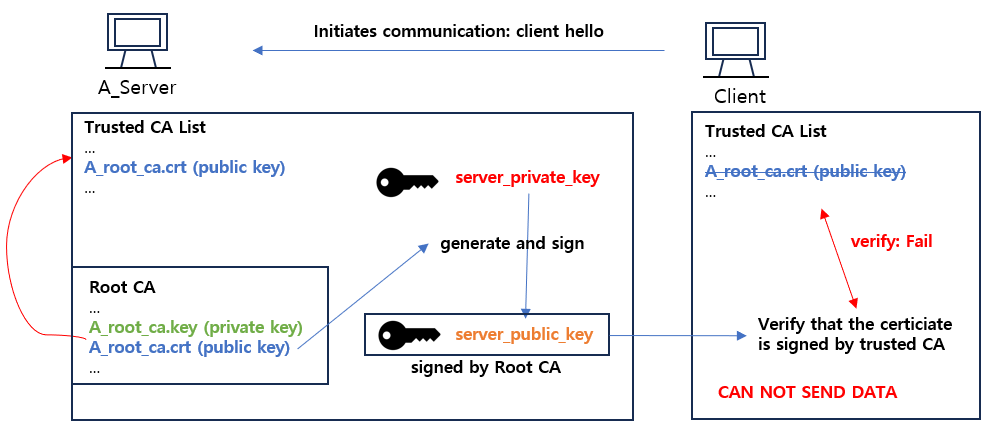
Let me make my own CA and register it as a trusted CA. First The private key for CA must be created. You can get a private key for CA after executing command below.
1
2
#  : "Create a private key for CA"
#  : openssl genrsa -out my_root_ca.key 4096
#  *  You can add encryption algorithm to set password on your key file.
#  ex) openssl genrsa -algorithm RSA -out my_root_ca.key 4096
#  *  You can name key file extension one of 'key' or 'pem'.
#  ex) openssl genrsa -out my_root_ca-key.pem 4096
#  *  the number at the end of the command should be 2^n.
Next, create a public key for CA from private key I generated. You have to write down that the public key issuer's information after typing the command. All variables can be skipped except Common Name. Common name must be the IP or FQDN address of the server.
1
2
3

#  : "Create a public key for CA"
#  openssl req -x509 -new -sha256 -days 365 -key my_root_ca.key -out my_root_ca.crt
#  *  -days: assign the valid period of your public key.
#  *  You can name key file extension one of 'key' or 'pem'.
#  ex) openssl req -x509 -new -sha256 -days 365 -key my_root_ca.key -out my_root_ca.pem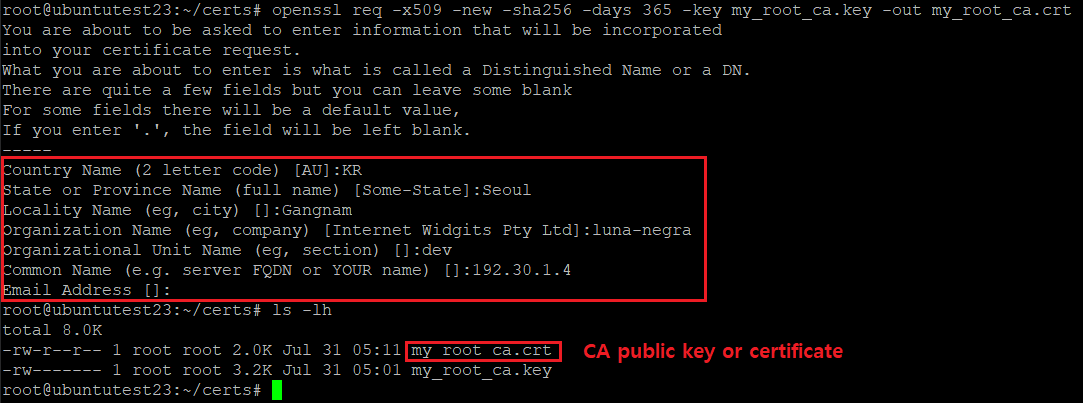
It is ready to register our new CA public key (certificate) as a trusted CA. Copy or move the public key file to specific folder.
1
2
3
4
5
#  : "Ubuntu"
#  cp my_root_ca.crt /usr/local/share/ca-certificates/
#
#  : "CentOS 8 Stream"
#  cp my_root_ca.crt /etc/pki/ca-trust/source/anchors/
After copying or moving the public key file, execute command below and register the CA public key as a trusted one.
1
2
3
4
5
#  : "Ubuntu"
#  update-ca-certificates
#
#  : "CentOS 8 Stream"
#  update-ca-trust
[ Ubuntu ]

[ CentOS 8 Stream ]

You can check your CA certificate are registered as a trusted CA on your host with command below.
1
2
3
4
5
#  : "Ubuntu "
#  ls -lh /etc/ssl/certs/ | grep [CA_PUBLIC_KEY_FILENAME]
#
#  : "CentOS 8 Stream"
#  cat /etc/pki/ca-trust/extracted/openssl/ca-bundle.trust.crt | grep \# | grep [COMMON_NAME]
[ Ubuntu ]

[ CentOS 8 Stream ]

Now, I can use our CA to sign another public key for TLS communication.
IV. Sign Certificate with Root CA
From now, let me create TLS private and public key and signing it with root CA's public key. Then I will apply TLS apache2 with signed keys.
In my Ubuntu server, there are apache2 service running and I can access the default website with HTTP protocol.
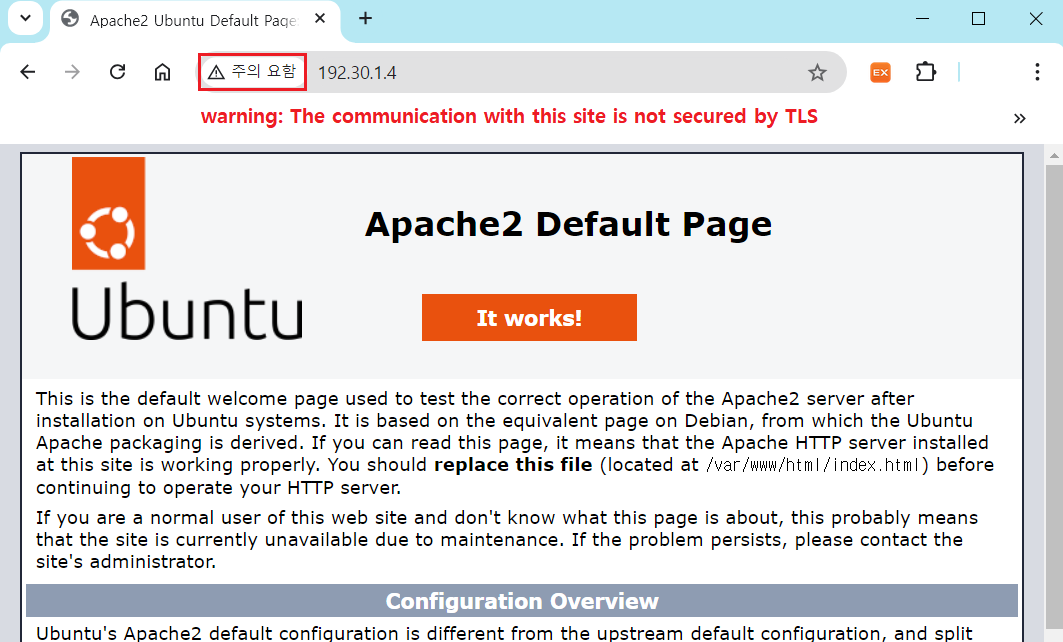
First, create a private key as below.
1
2
#  : "Create a private key"
#  openssl genrsa -out domain.key 4096
After creating private key, I have to make a CSR - Certificate Signing Request - file. As we know from the file type, it requests CA to make a specific certificate and to sign on it. Create CSR file with command blelow.
1
2
#  : "Create a CSR file"
#  openssl req -new -subj "/CN=192.30.1.4" -key domain.key -out domain.csr
# * Option must contain '-subj' option and it must have CN value of CA.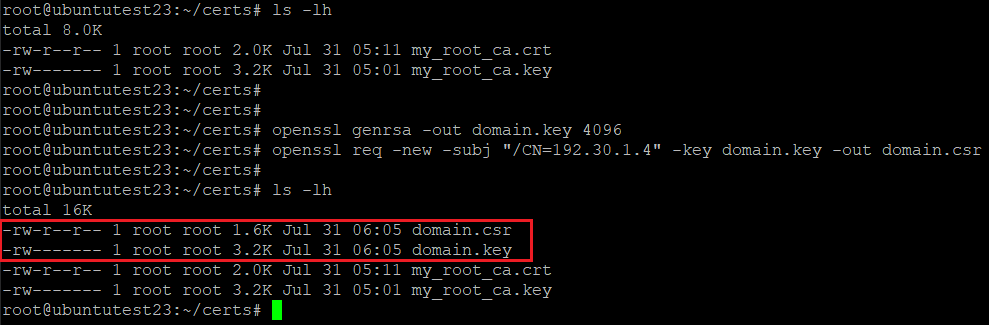
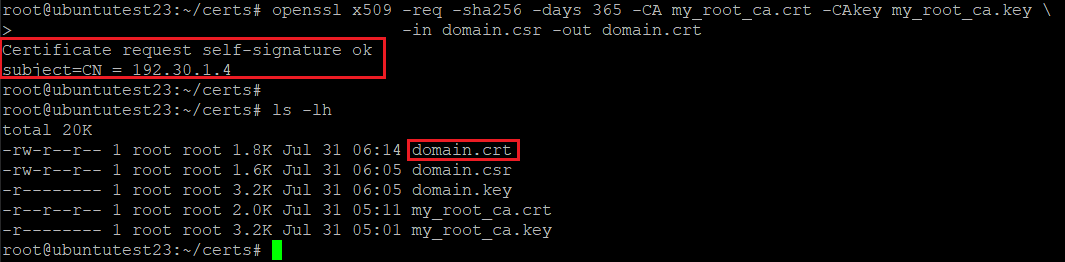
I have a CSR file now, so can make docker.crt file with signing root CA.
1
2
3
#  : "Create a public key with CA signing"
#  openssl x509 -req -sha256 -days 365 -CA [CA_CRT_FILE] -CAkey [CA_KEY_FILE] \
#               -in domain.csr -out domain.crt
Now, I have private and public key signed by my own CA for applying TLS.
Let me apply private and public key on my apache2.
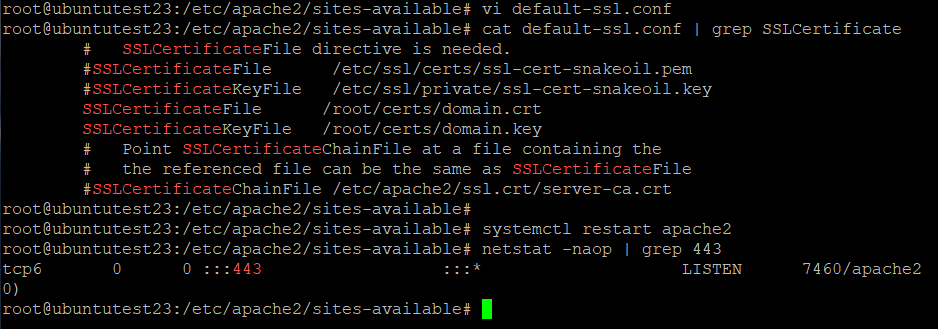
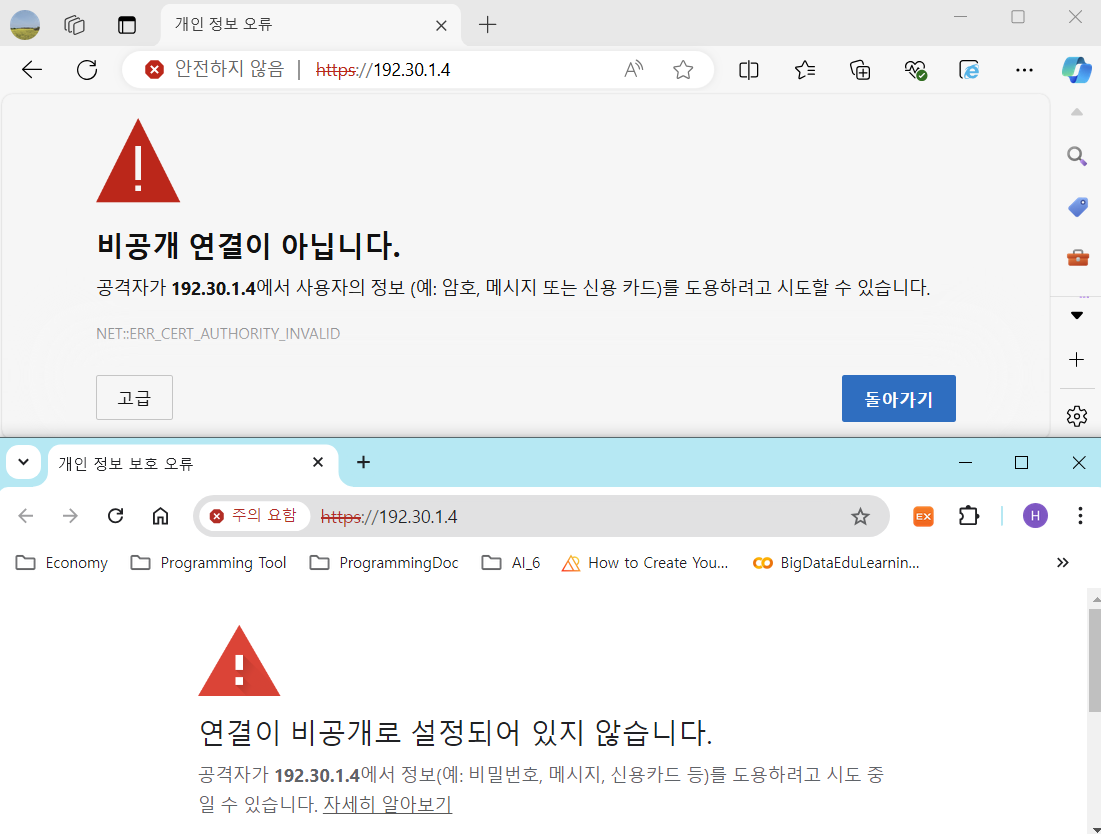
Now I can access the apache2's default site with HTTPS. Let me access the site from my Windows. Browser does not have my root CA in a trusted CA list, so browser tells me that the site contains some security unsafety.
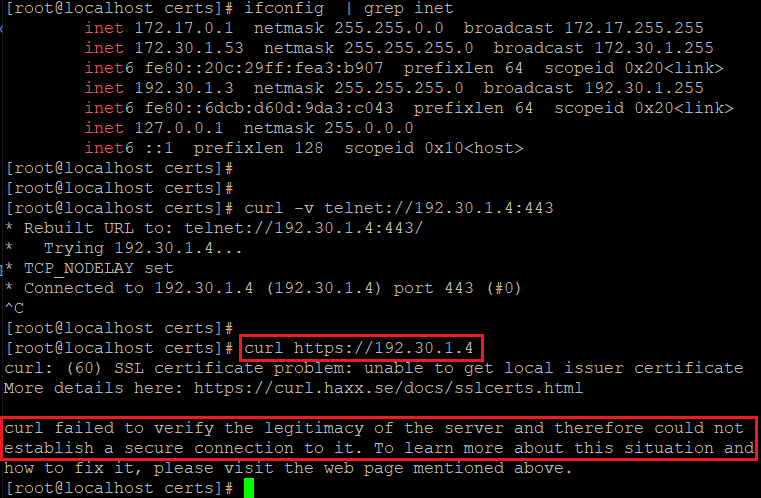
Also, call the website info with 'curl' command from another linux, I can not get the information because the host can not trust the server's public key.
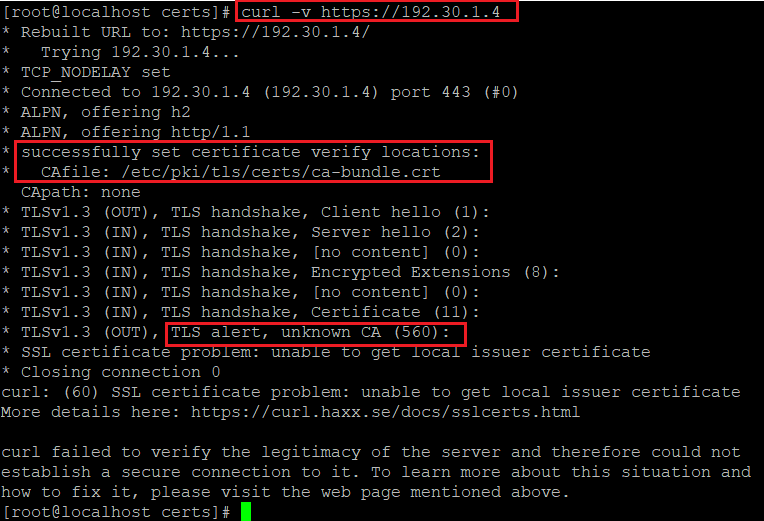
This problem can be solved by adding CA root as a trusted one. First with Linux, remote host does not have server's root CA in a trusted CA list, so it does not believe that the server's public key is safe.
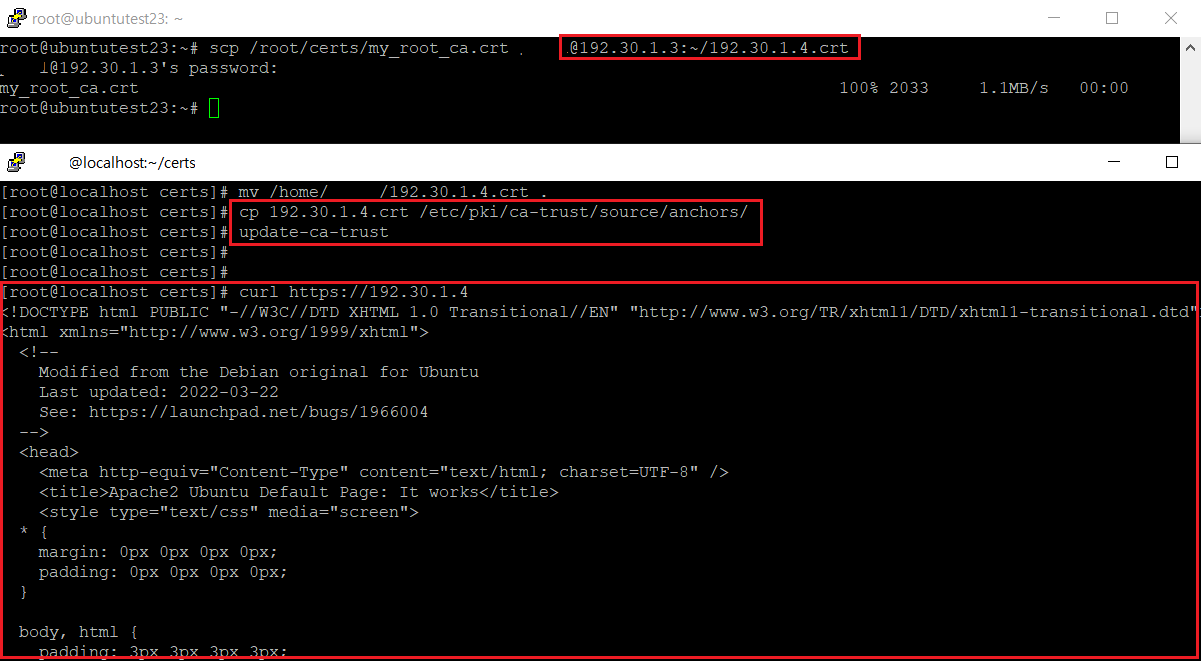
Copy the server's CA root public key which did sign on domain.crt to the remote host, and register copied public key on the remote host as a trusted CA.
V. References