$ 0017. How to Use ModelForm with Mongoengine
| Author | luna-negra |
| Created On | 2024-11-18 08:22:00+00:00 |
| Edited On | 2024-11-18 08:22:00+00:00 |
| Tags | #django #mongoengine #model form #document form |
I. Preview
If you are using Mongo DB as a database for django first time, you may have some issue during constructing your web page. Django does not support Mongo DB as a default, you have to install third party python module like 'mongoengine' and so on. You can make any connection between Mongo DB and django however, you can not use some django's useful functions such as 'modelForm' or 'AUTH_USER_MODEL' because 'mongoengine' is only designed for connecting to Mongo DB.
In this reason, you would be concerned about inefficiency of your code writing. You can only create a front-end form with Django's BaseForm which is not reflecting any Model Fields. If you change the model architecture, you also have to change contents in 'forms.py'
Fortunately, some clever engineer create a python package which helps create things that similar to model form in django. Unfortunately, this module is not adequate for current version of Django, so you have to edit some code in this package. But It is not a big problem comparing with creating your web page with base form.
In this article, I would like to show how to set up django to use ModelForm with mongoengine. If you want to see how to connect Django to Mongo DB, please refer to this article first.
II. Pre-setting
First, move to your Django project folder and install python package 'django-mongoengine-form' for using Mongo DB.
1
2
3
4
5
: "Install 'django-mongoengine-form'"
pip install django-mongoengine-form

: "Check the package was installed successfully"
pip list
* Don't forget to install 'mongoengine'.If you installed 'django-mongoengine-forms', you can not run Django server because some code in 'django-mongoengine-forms' has been outdated.

So, you have to edit some outdated python code in 'mongodbforms' package which is popped up after installing 'django-mongoengine-forms' package.
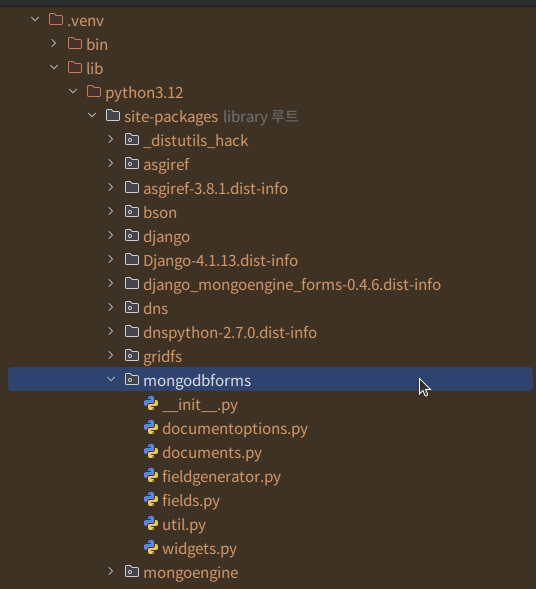
1
2
3
4
5
6
7
8
9
10
11
12
13
14
: "mongodbforms > documents.py"

before >>
from collections import Callable, OrderedDict
from django.forms.forms import (BaseForm, DeclarativeFieldsMetaclass,
                                NON_FIELD_ERRORS, pretty_name)
from django.utils.translation import ugettext_lazy as _, ugettext


after >>
from collections import OrderedDict
from collections.abc import Callable
from django.forms.utils import pretty_name
from django.utils.translation import gettext_lazy as _, gettext
1
2
3
4
5
6
7
8
9
: "mongodbforms > documentoptions.py"

before >>
#from collections import MutableMapping
#from django.db.models.fields import FieldDoesNotExist

after >>
from collections.abc import MutableMapping
from django.core.exceptions import FieldDoesNotExist
1
2
3
4
5
6
7
8
9
: "mongodbforms > fieldgenerator.py"

before >>
from django.utils.encoding import smart_text as smart_unicode
if isinstance(f.default, collections.Callable):                  (Line 136)

after >>
from django.utils.encoding import smart_str as smart_unicode
if isinstance(f.default, collections.abc.Callable):
1
2
3
4
5
6
7
8
9
10
11
: "mongodbforms > fields.py"

before >>
from django.utils.encoding import (force_text as force_unicode,
                                   smart_text as smart_unicode)
from django.utils.translation import ugettext_lazy as _

after >>
from django.utils.encoding import (force_str as force_unicode,
                                   smart_str as smart_unicode)
from django.utils.translation import gettext_lazy as _
After editing some lines in 'mongodbforms' package, you can run Django again without any error.
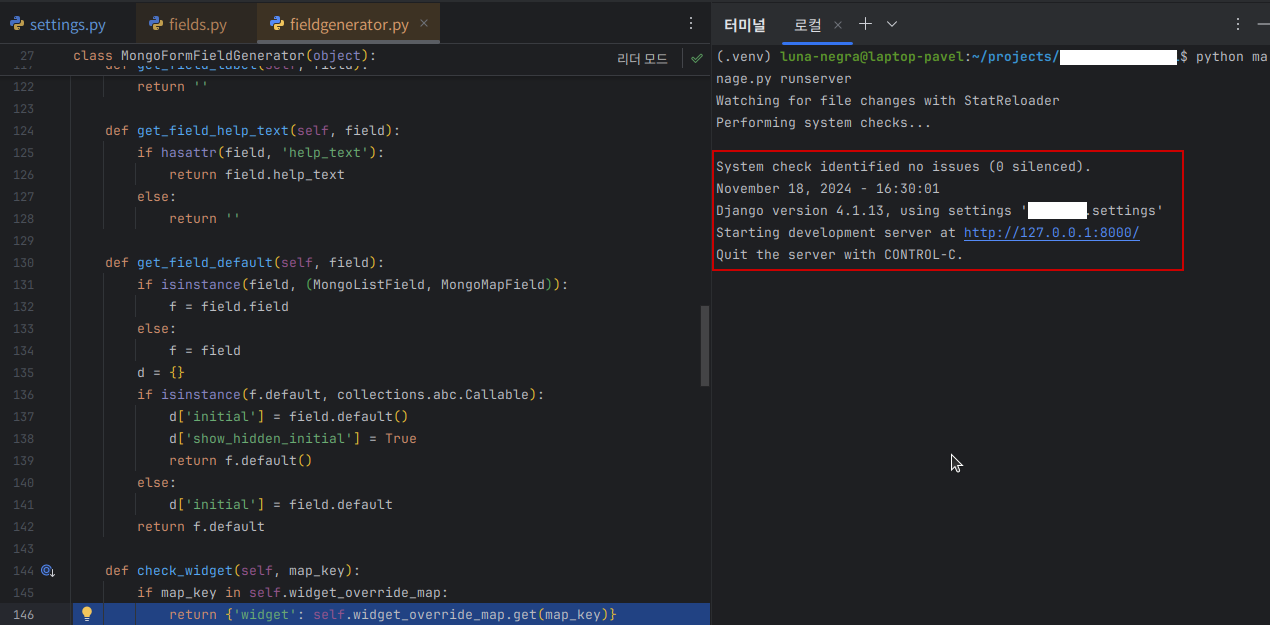
Now, you can write down code in "forms.py" and "models.py" files.
III. Create Django Form
Let me create a simple user model in Django.
This model contains 'email' as a primary key, 'password', 'first_name', 'last_name' and 'signup_date' only.
1
2
3
4
5
6
7
8
9
10
11
: "models.py"

import mongoengine as mg


class Users(mg.Document):
    email = mg.EmailField(required=True, primary_key=True)
    password = mg.StringField(required=True, min_length=8, max_length=64)
    first_name = mg.StringField(required=True, max_length=20)
    last_name = mg.StringField(required=True, max_length=20)
    signup_date = mg.DateTimeField(auto_now_add=True)
* Please inherit mongoengine.Document to create a Collection in MongoDB.
Now, Let me create a forms.py with 'SignUpForm' which contains fields information in 'models.py'. But you can not use Django's ModelForm class directly because ModelForm class in Django can not recognise any fields derived from 'mongoengine'. So you have to inherits 'mongoedbform.DocumentForm' to your form class, instead of 'django.forms.ModelForm'.
1
2
3
4
5
6
7
8
9
10
11
12
13
14
: "forms.py"

import mongodbforms as mf
from django.core.exceptions import ValidationError
from users.models import Users


class SignUpForm(mf.DocumentForm):

    // Please be advised you can not use get_user_model() with mongnoengine.
    // if 'fields' is blank, you can get all fields in models.py
    class Meta:
        model = Users
        fields = []
*  Please be advised you can not use get_user_model() with mongnoengine.
*  if 'fields' is blank, you can get all fields in models.py
I create a SignUpForm with DocumentForm and Django will print out all model fields on your web browser.
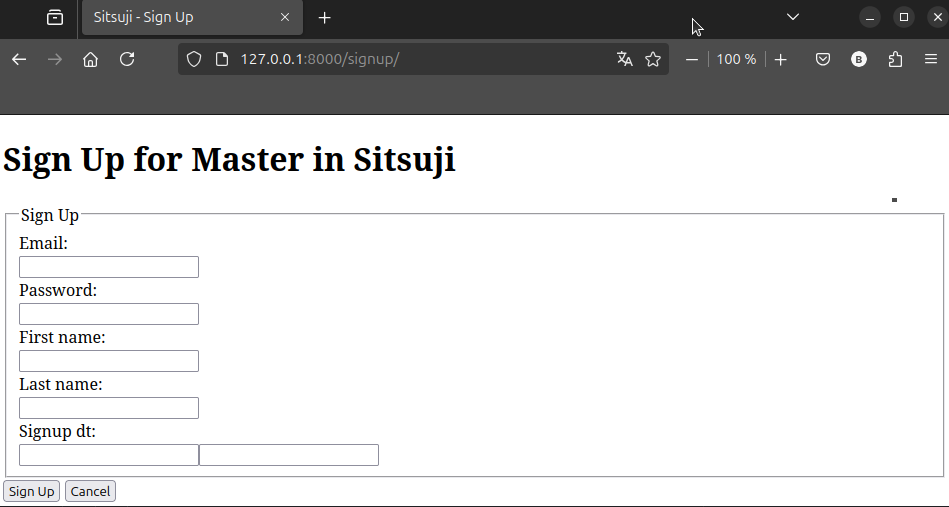
You can you 'Meta' classes variables such as 'exclude', 'widgets' and so on, except labels. 'mongodbform' can not react with labels, so you have to create accurate fields name in 'models.py' if you want to show them in html page without change. The example screenshot above, I use 'form.label_tag' DTL in html page, so there is no under bar in field name.
Also, If you want to add or edit options of fields, you can use fields which is belong to 'django.forms' without any issue.
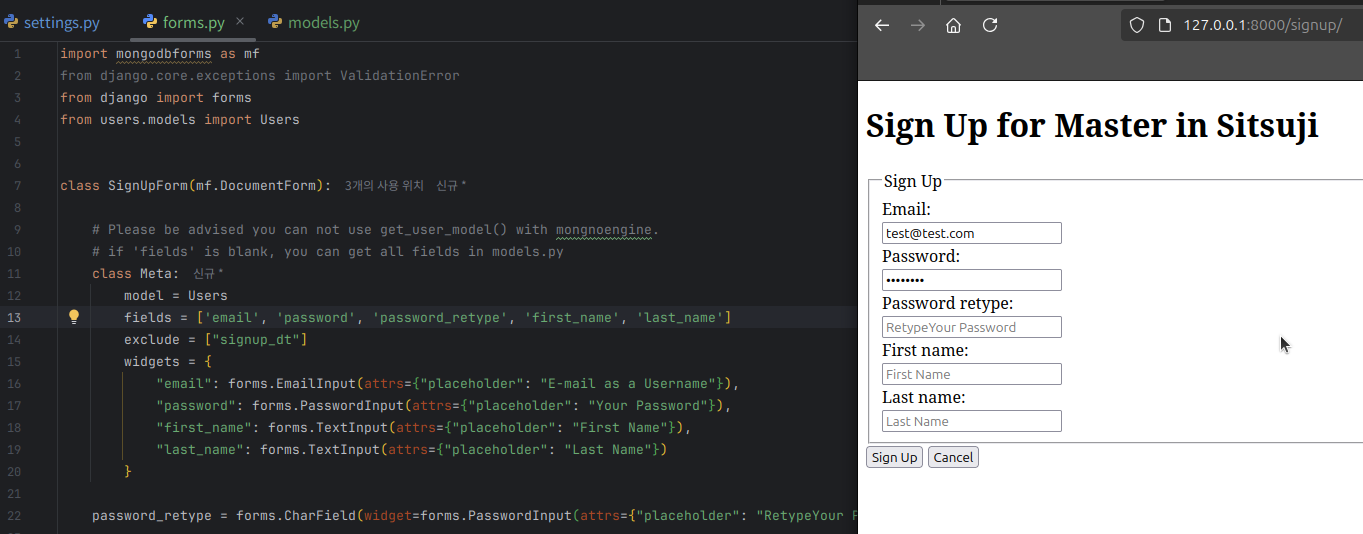
If you want to validate input, use 'clean_' method in your form class. The usage is same as Django's Basic Form.
IV. Preview