$ 0011. Basic Usage of AbstractBaseUser for Custom UserModel
| Author | luna-negra |
| Created On | 2024-08-24 04:59:00+00:00 |
| Edited On | 2024-08-24 05:25:00+00:00 |
| Tags | #django #AbstractBaseUser #simple website example |
I. Preview
As I introduced how to use 'AbstractUser' class in Django at this site, web developers can use its fields which are mainly used for designing web accounts. However, all web-site does not follow this format, sometimes web developer make their own fields to create account table. For example, 'AbstractUser' provides fields name 'username' for user's username or id, but you want to make email fields as an user fields. Or, If you want to add fields that does not exist in 'AbstractUser' class, you have to create new fields on your 'models.py' file.
In this reason, Django also provides almost empty class for account or user model. It is an 'AbstractBaseUser', which 'AbstractUser' class inherits. This class only support 'password' and 'last_login' fields, and there are not any variable named 'objects' or 'USERNAME_FIELDS' and so on, which are important to link other class authenticating or creating new users.
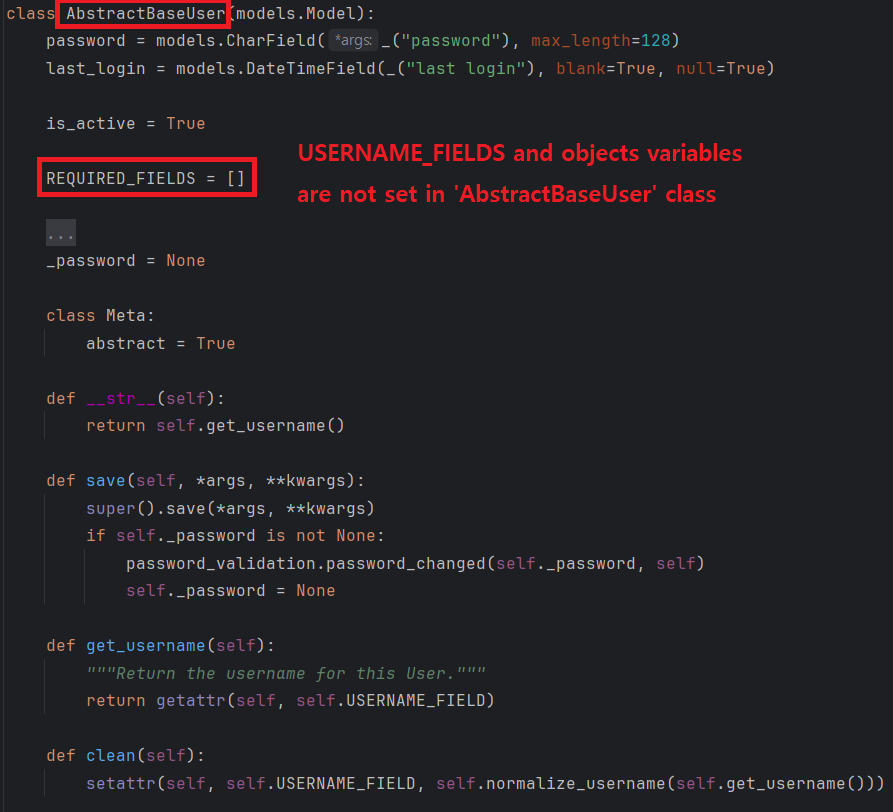
Therefore, if you want to create an account model by using 'AbstractBaseUser', there will be more extra works than with 'AbstractUser'. Let us see how to use it.
II. AbstractUser
For this test, you have to create a new project and Django application for account or delete files involving in database. I will remove all database files - in migrate folder in each application and sqlite3 file - on my projects.
I will create a simple user model so, 'MyUser' class will have only 6 fields - email, password, cp_num, is_admin, created, last_login. In addition, I will replace username to email.
1
2
3
4
5
6
7
8
9
10
11
12
13
14
15
16
# [ models.py ]
#
#from django import models
#from django.contrib.auth.models import AbstractBaseUser
#from django.contrib.auth.models import UserManager
#
#
#class MyUser(AbstractBaseUser):
#    email = models.CharField(max_length=64, unique=True, blank=False)
#    cp_num = models.CharField(max_length=16, blank=False, null=False, unique=False)
#    created = models.DateTimeField(auto_now=True
#    is_admin = models.BooleanField(default=False)
#
#    USERNAME_FIELD = "email"
#    objects = UserManager()
#
# * Do not forget to set 'AUTH_USER_MODEL' on 'settings.py' file.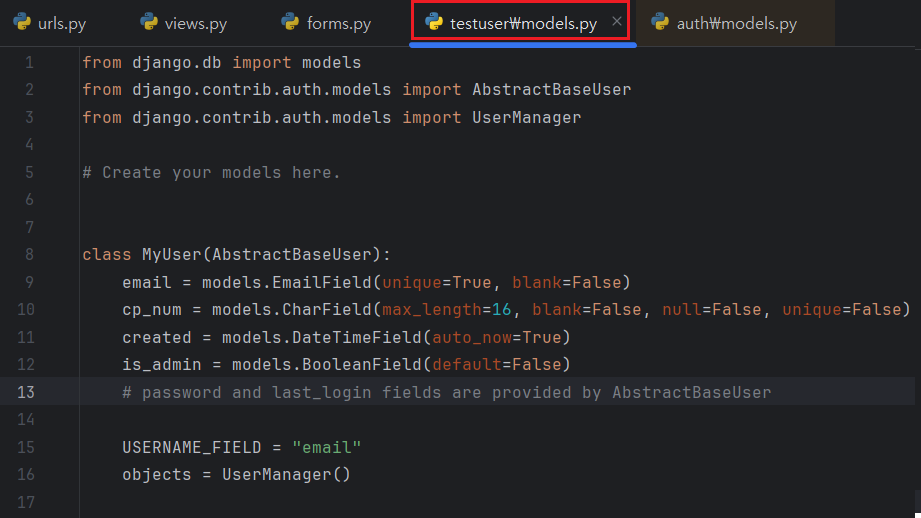
After that, I migrate all models.py information to the database.
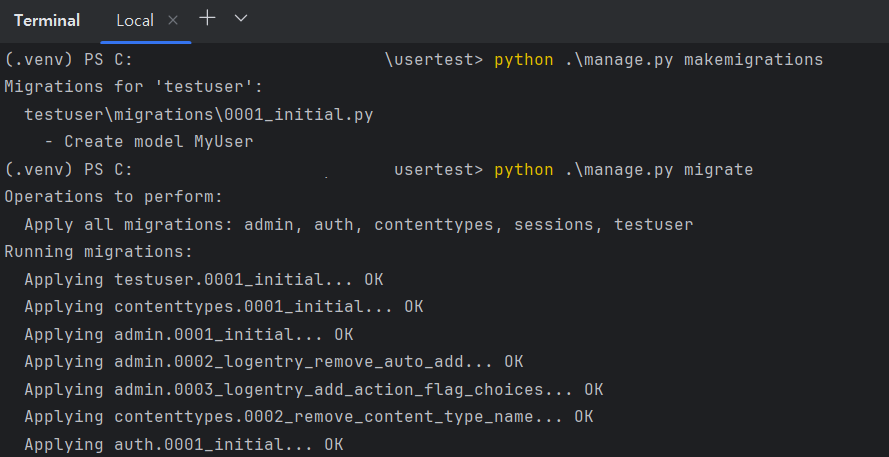
Once you migrate successfully, you can see the schema of new user table which reflecting fields defined in AbstractBaseUser.

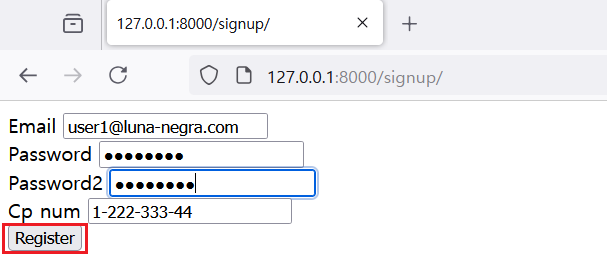
In this status, you can see the fields on your browser after add some codes on 'forms.py', 'views.py' and templates file.
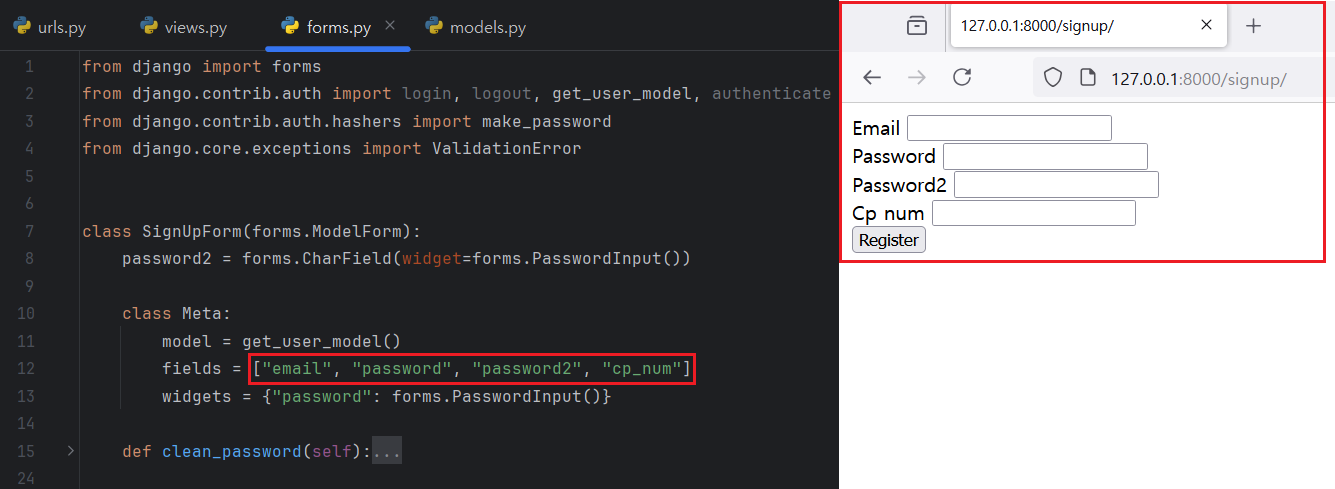
Let me fill out these form and click register button. Once I register sample user information, it will be saved on User Database.

Let me sign in and sign out with newly created account. First, I add 'SignInForm' with 'forms.Form'.
1
2
3
4
5
6
7
8
9
10
11
12
13
14
15
16
17
18
19
20
21
22
23
# [ forms.py ]
#
# ...
#class SignInForm(forms.ModelForm):
#    class Meta:
#        model = get_user_model()
#        fields = ["email", "password"]
#        widgets = {"password": forms.PasswordInput()}
#
#    def clean(self):
#        pass
#
#    def login(self, request):
#        email = self.data.get('email')
#        password = self.data.get('password')
#        user = authenticate(request=request, email=email, password=password)
#
#        if user is not None:
#            login(request=request, user=user)
#            return True
#
#        return False
#
# * I did not change 'views.py' file which are used in previous post. Please refer to it.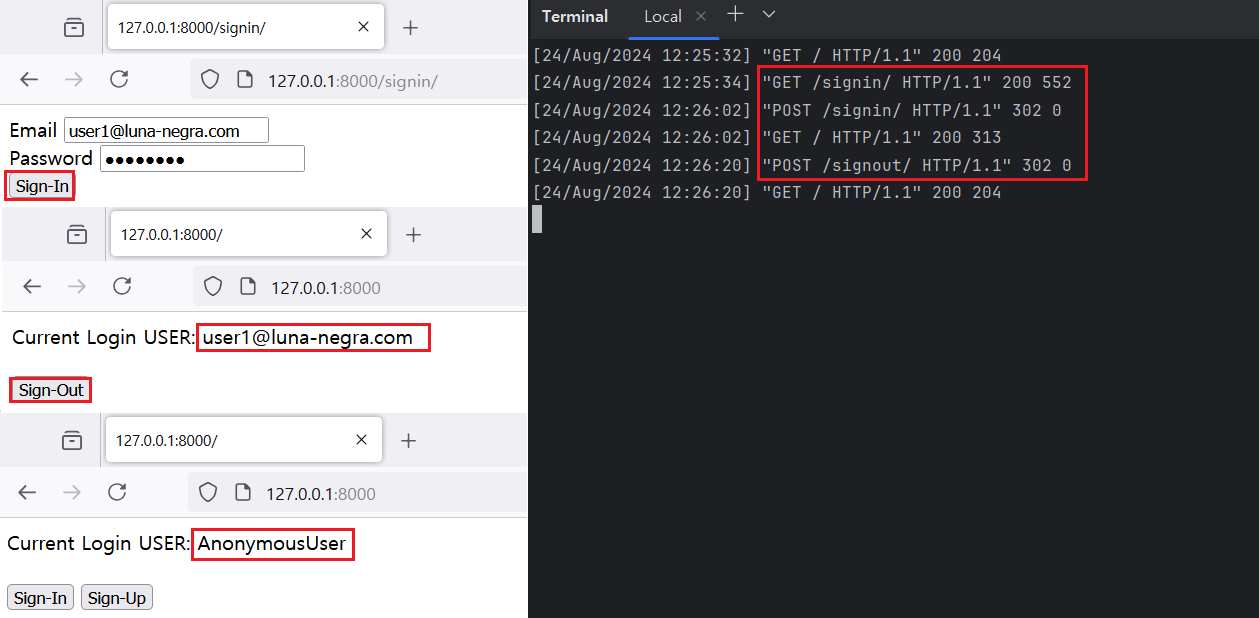
At a glance, using 'AbstractBaseUser' does not have any problem with creating and sign-in/out users. However, if you try to create a superuser in this status, 'AbstractBaseUser' does not work properly.
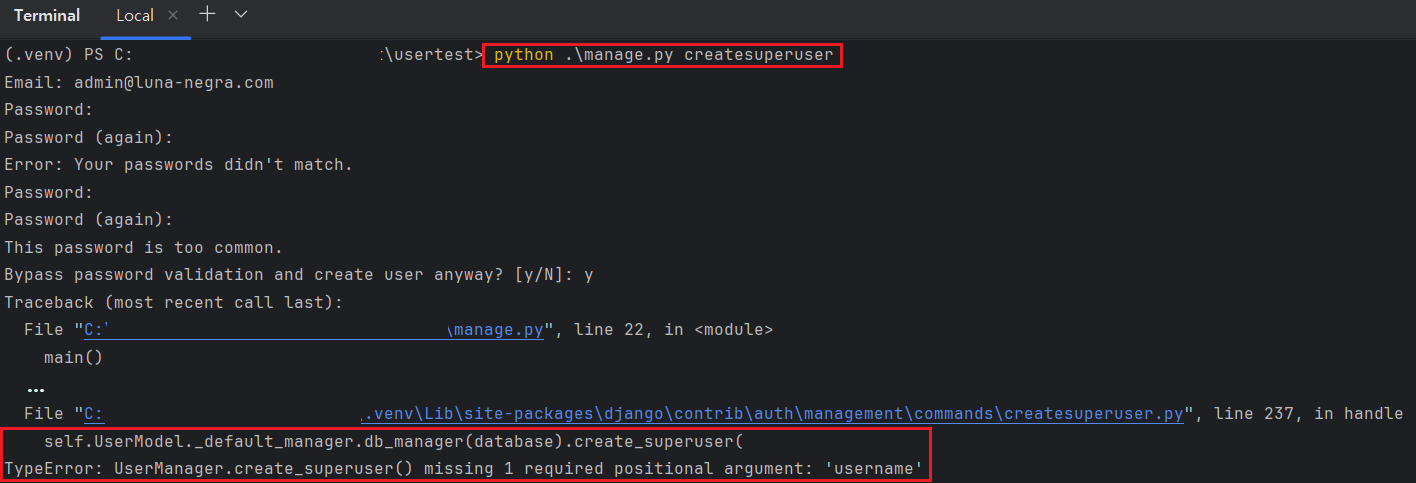
The cause of this issue is on the 'UserManager' class. When you see the code of this class, you can see the method containing 'create_superuser' on its name.
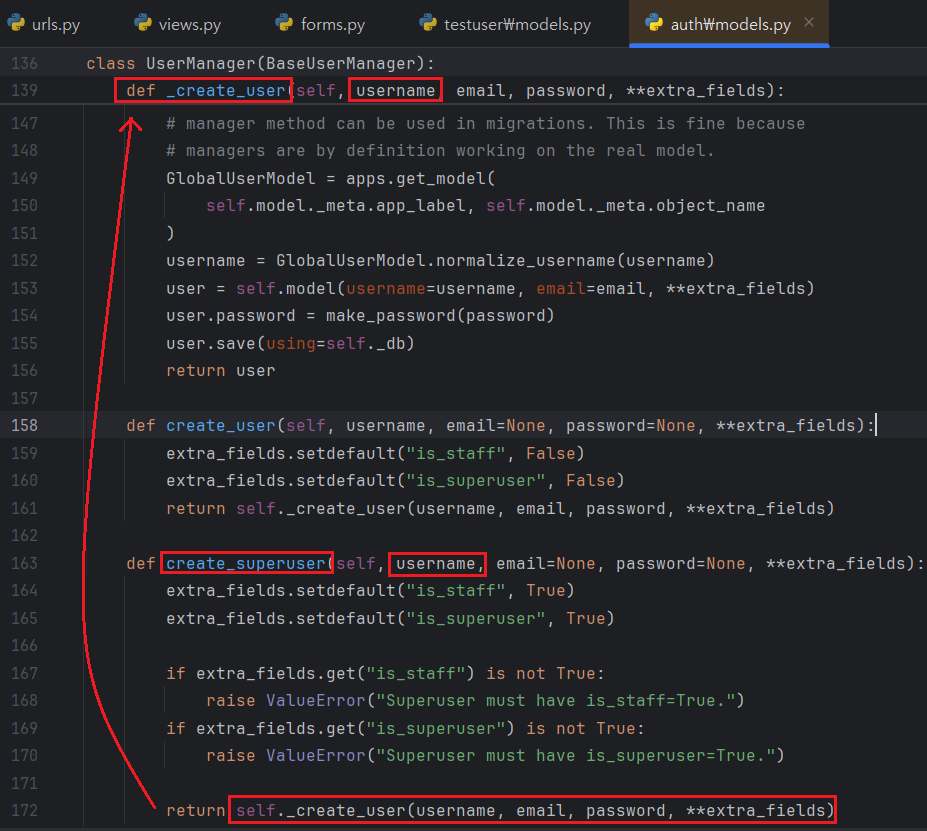
There are two method '_create_superuser()' and 'create_superuser()' and '_create_superuser()' is a responsibility to save user information. It needs values from username fields, but I do not have any fields named 'username' and it makes issue above.
So, To avoid this issue during creating superuser, I have to create custom 'UserManager' class and linked it to my UserModel.
III. Customise UserManager
To create superuser with 'AbstractBaseUser', you have to create custom 'UserManager' class inheriting 'UserManager'. By overriding 'create_superuser()' method, you can solve issue on creating superuser. Let me test with overriding simple code in this method.
1
2
3
4
5
6
7
8
9
10
11
12
13
14
15
# [ models.py ]
#
# ...
#class CustomUserManager(UserManager):
#    def create_superuser(self, email, password=None, **kwargs):
#        print(email)
#        print(password)
#        print(" - Add Code for Save Info")
# ...
#
#class MyUser(AbstractBaseUser):
# ...
#    objects = CustomUserManager()
# ...
#
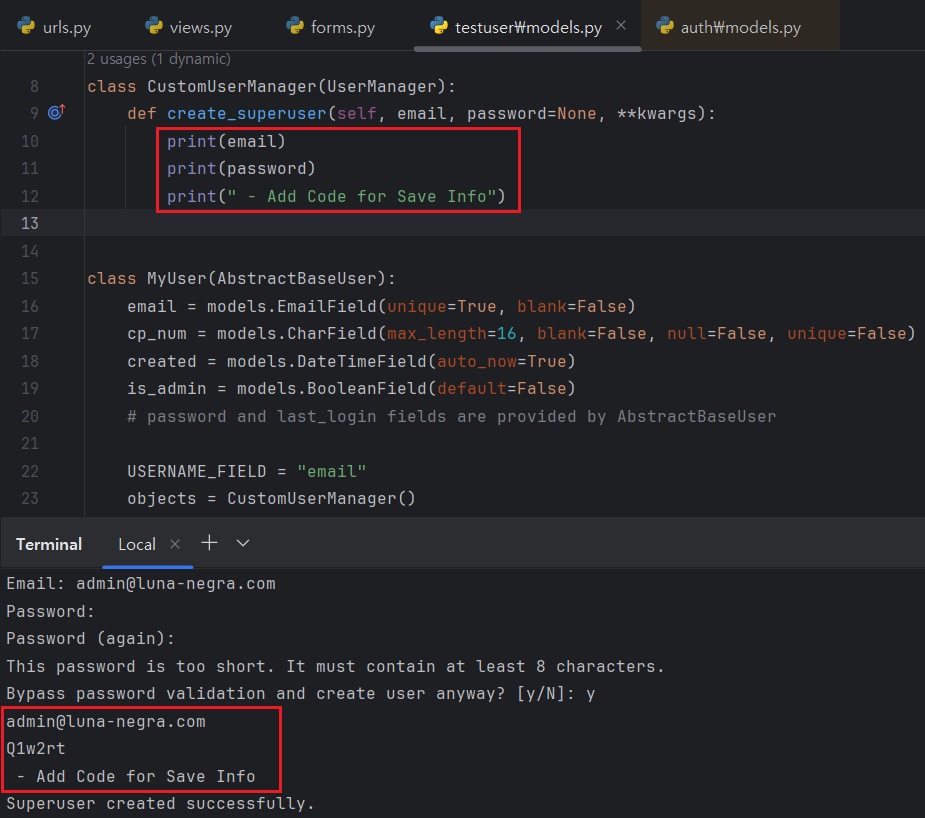
As a result, if you add code to save superuser information on 'create_superuser()', you can add superuser with command line.
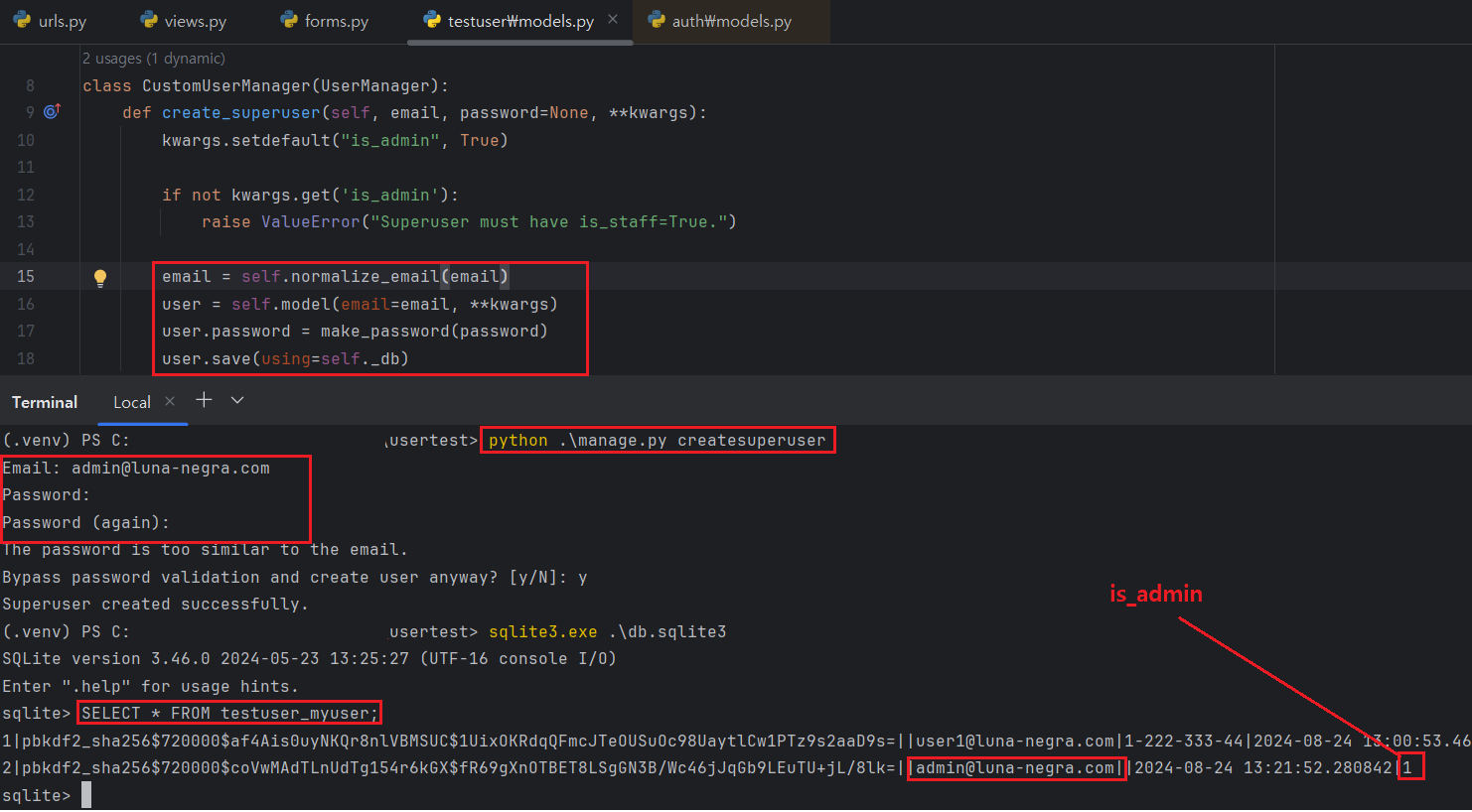
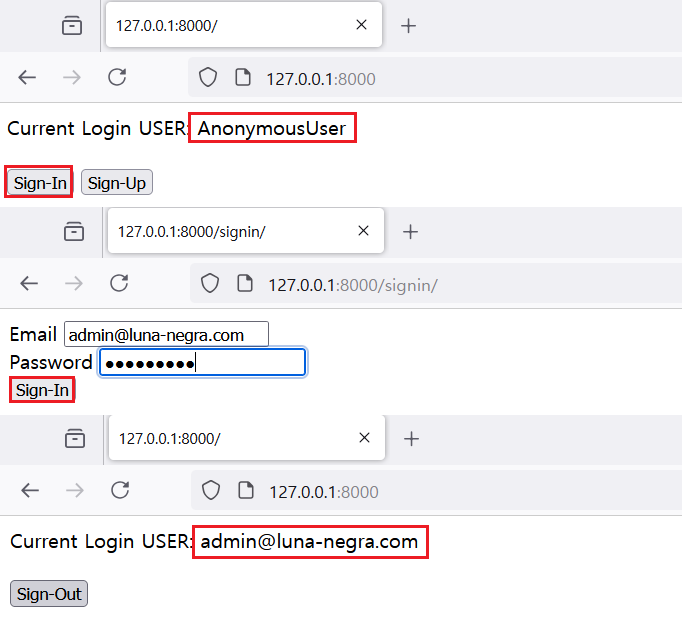
However, if you try to log-in with superuser account to Django's admin site, you will always fail to log-in. Because Django's admin site requires some fields such as 'is_staff' or 'has_module_perms' and so on, but my UserModel does not have these fields. If you want to use only 'is_admin' field to log-in Django's admin site, you have to edit files related with Django admin application.
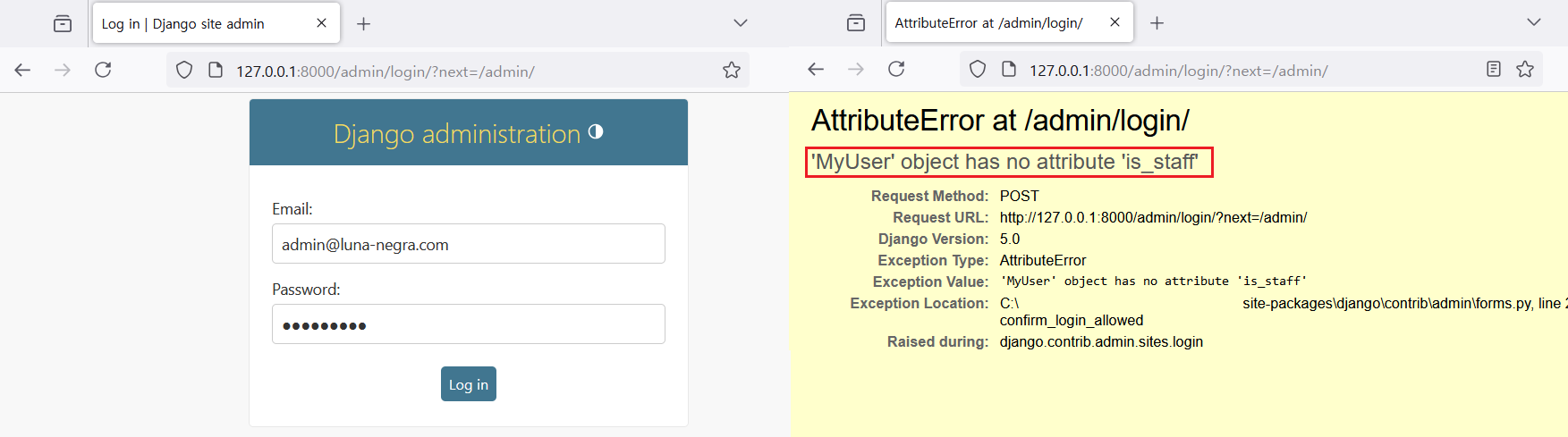
Let me edit 'MyUser' and try to log in with admin account again.
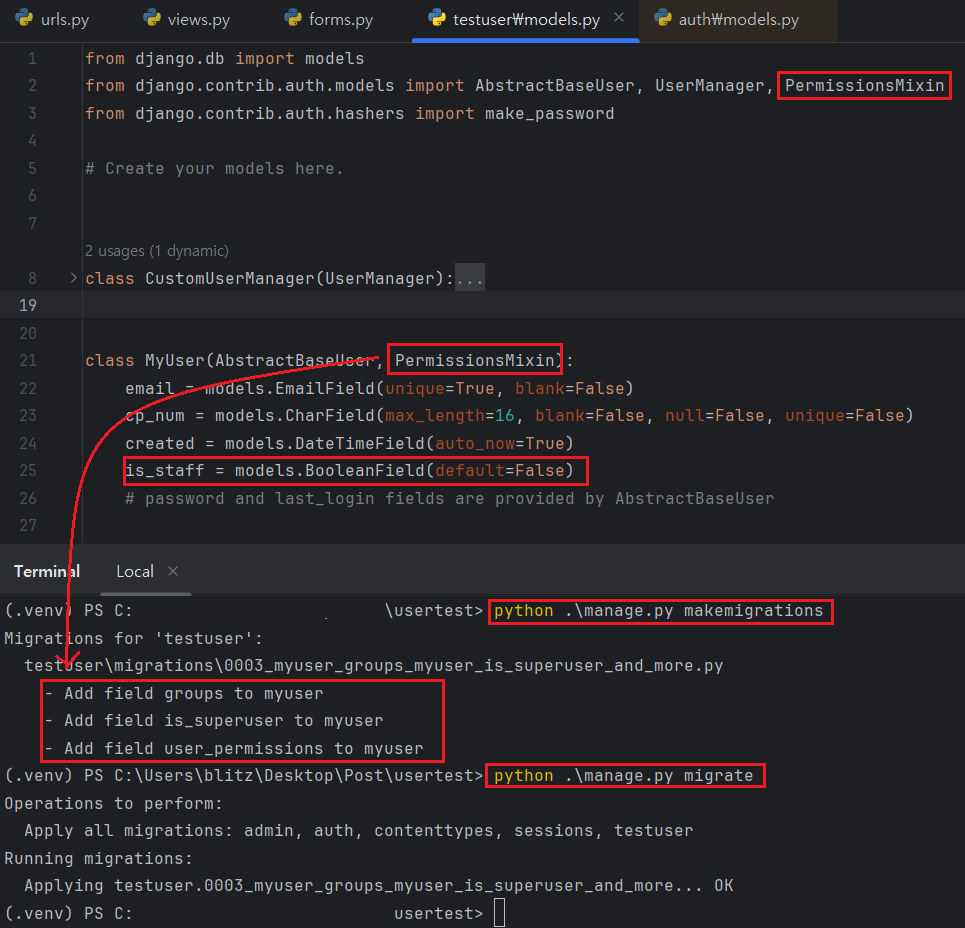
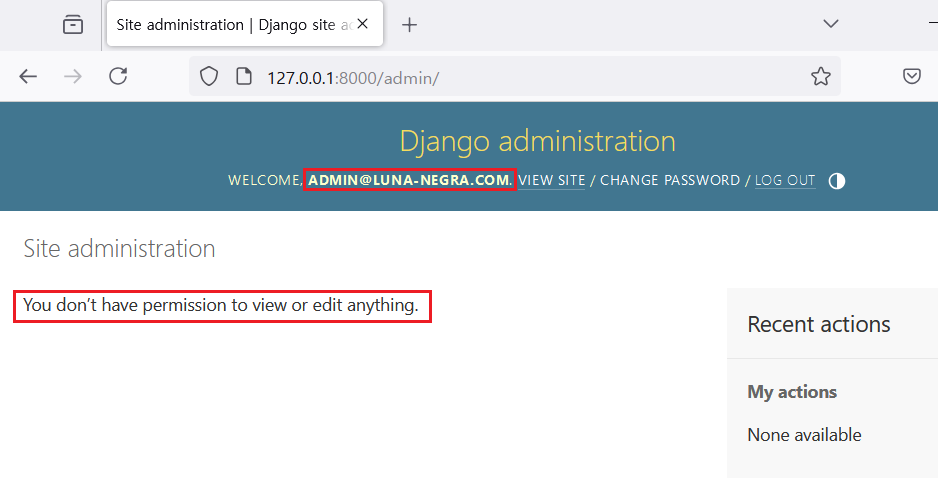
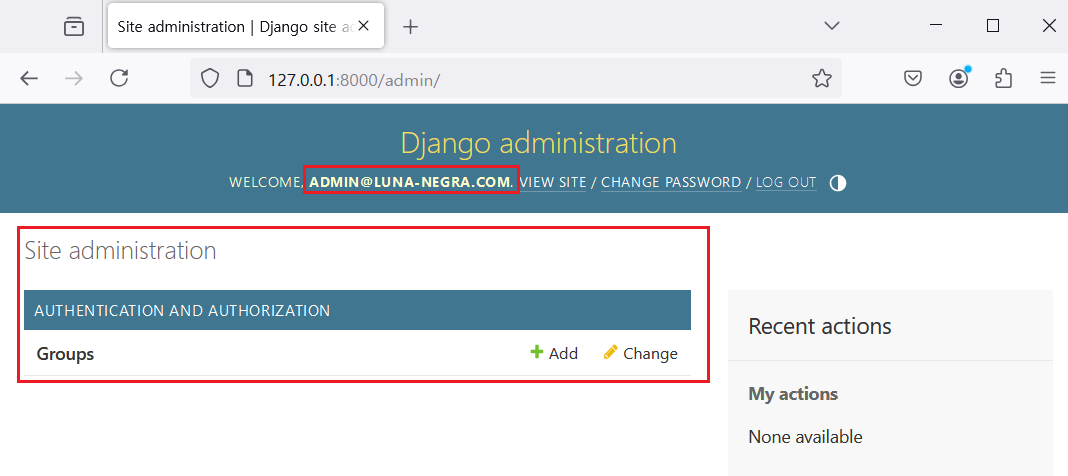
In this status, you can not see any fields on your UserModel. To see this model, your UserModel must have fields named 'is_staff' and 'is_superuser' and inherit 'PermissionsMixin' class. Definitely, your admin account must have True value on 'is_staff' and 'is_superuser'.

IV. References
- https://docs.djangoproject.com/en/4.2/topics/auth/customizing/
- https://stackoverflow.com/questions/14723099/attributeerror-manager-object-has-no-attribute-get-by-natural-key-error-in
- https://reintech.io/blog/creating-a-custom-user-management-system-in-django
- https://stackoverflow.com/questions/33556515/django-admin-you-dont-have-permission-to-edit-anything