$ 0010. Basic Usage of AbstractUser for Custom UserModel
| Author | luna-negra |
| Created On | 2024-08-23 14:48:00+00:00 |
| Edited On | 2024-08-23 14:48:00+00:00 |
| Tags | #django #AbstractUser #simple website example |
If you are not familiar with django forms, please see this post first.
I. Preview
In web framework, database for account are very special. Account is not only stored in database, but is also used to authenticate user and maintain user's connecting status with session. For this reason, building a database and application for accounts is more difficult that we thought because there are so many things to considerate.
Fortunately, most frameworks - Java Spring, Python Django and so on - provide a built-in module to make accounts part for web more easily. In django, accounts or user model are not created by inheriting general 'models.Model' class. Instead, django developers design MVT model for account by inheriting django's User Model.
Django has some basic classes for User or Account Model - class 'User', 'AbstractUser' and 'AbstractBaseUser'. Selecting one of them, django can do some work related with account - sign in / sign out / sign up / delete account / edit account - as well as storing account information.
Before show how to use Django's custom user model, I would like to see how django's process for accounts works.
II. Django’s Process for accounts
There are some classes involving to django's authentication.
| * Model | : Store User Information (e.g: username, password, created datetime etc.) |
| * User Manager | : Control User Model during creating a new account. |
| Model Backend | : Control authentication process when a user tries to login. |
| * Form | : Connecting between front-end and database. |
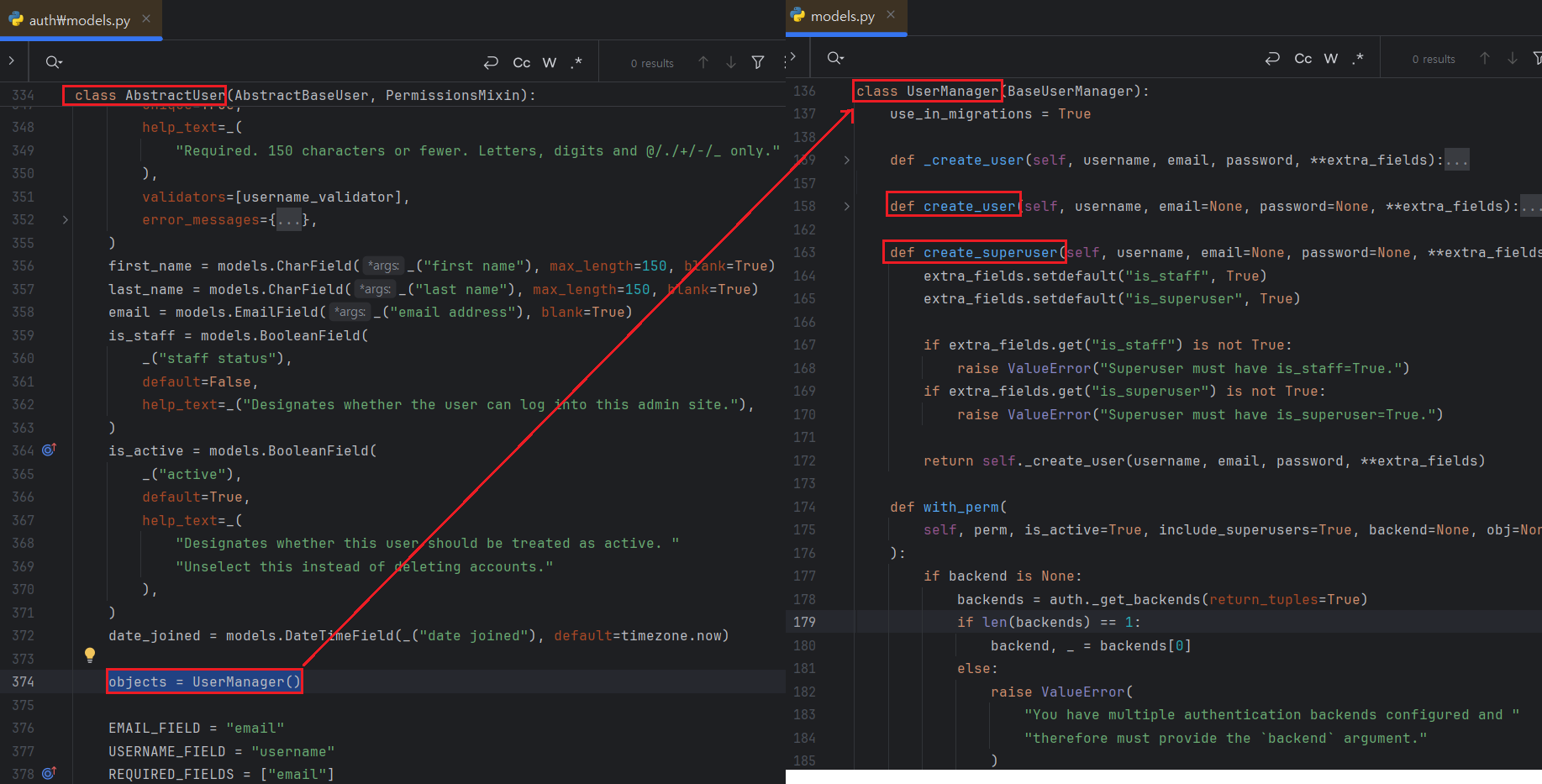
In general, The User Model class is connected to the User Manager class and when user attempt to sign up, User Manager is charge of creating new user. Let me open the source code of class 'AbstractUser' and 'UserManager'.
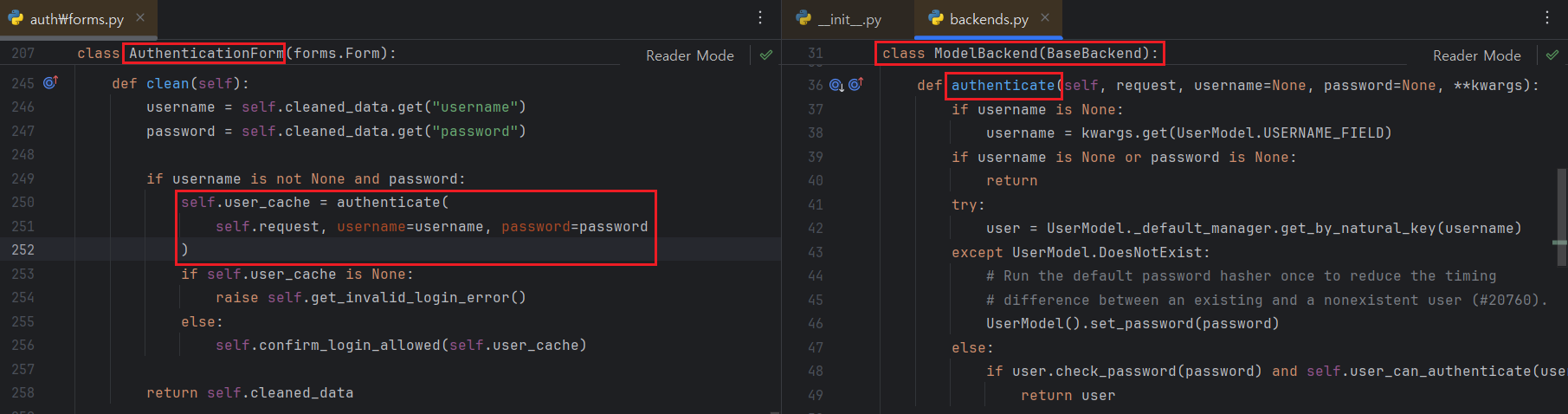
When user attempts to log in on the other hands, django uses ModelBackend to check that the username is valid and password are matched to given username.
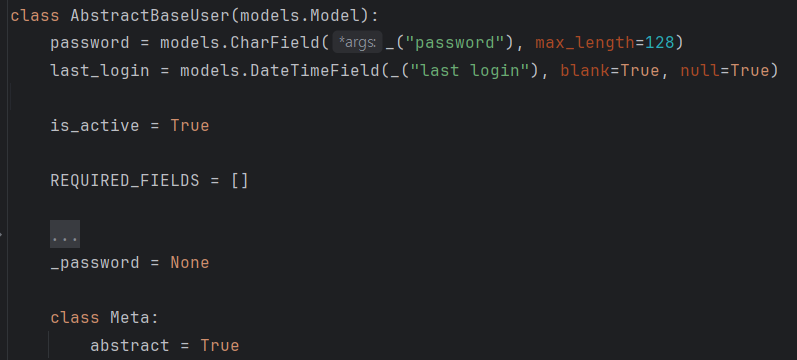
Django provides 3 model classes for user called 'User', 'AbstractUser' and 'AbstractBaseUser'. The 'User' class inherits 'AbstractUser' class and 'AbstractUser' inherits 'AbstractBaseUser'. 'AbstractBaseUser' has only 3 fields for password, last_login datetime and is_active which shows that the account is in usable status.
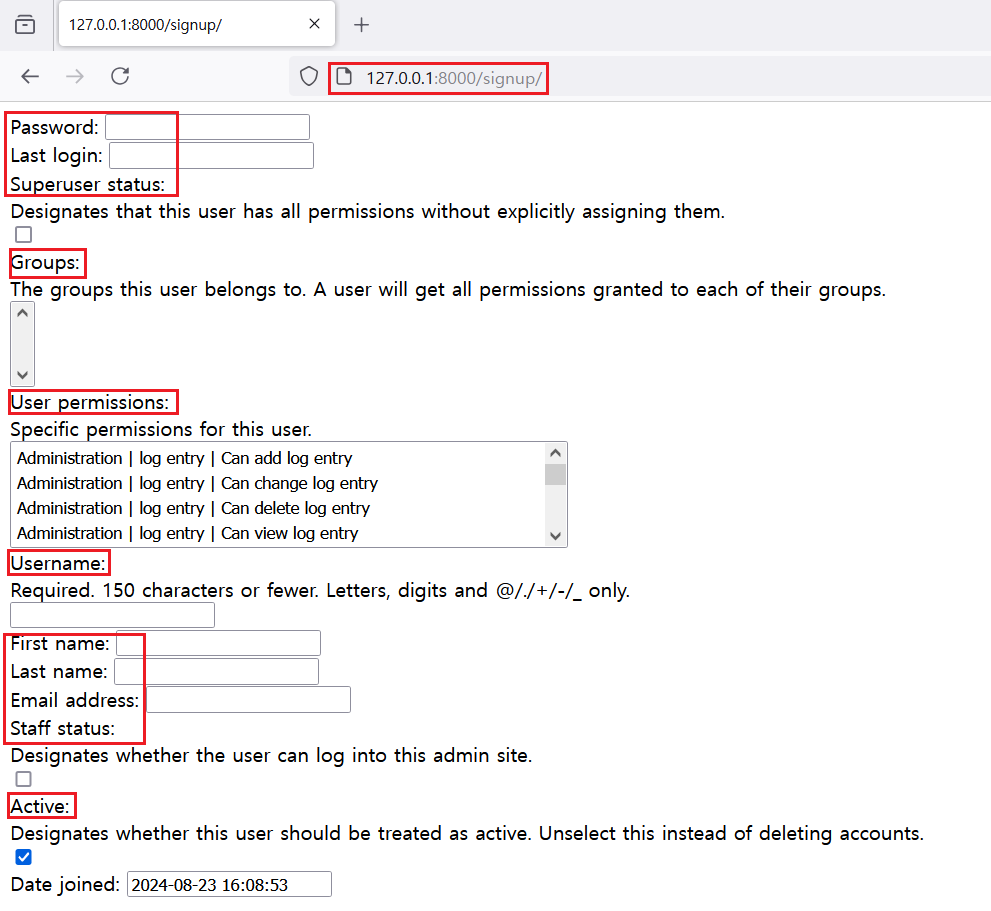
'AbstractUser' and 'User' classes are the default user model class for django, so they contain fields that are shown during executing command 'python manage.py createsuperuser'.
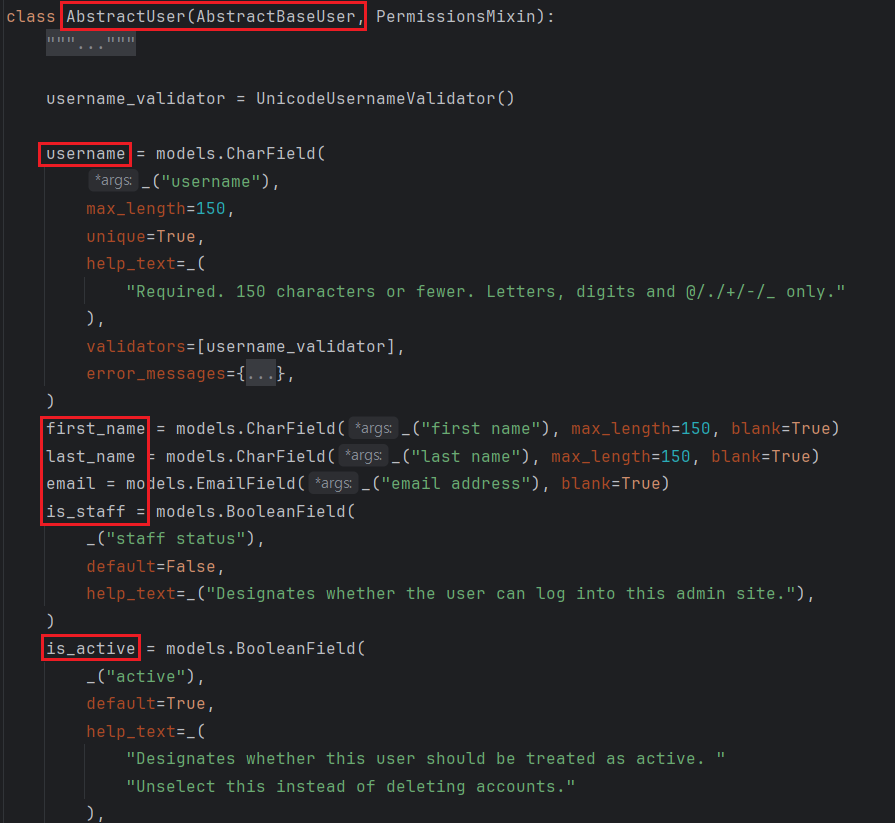
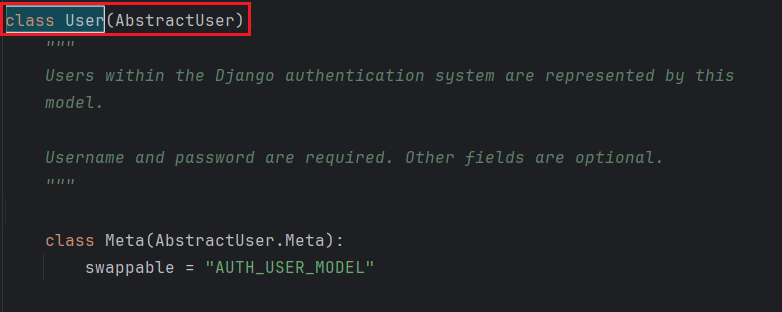
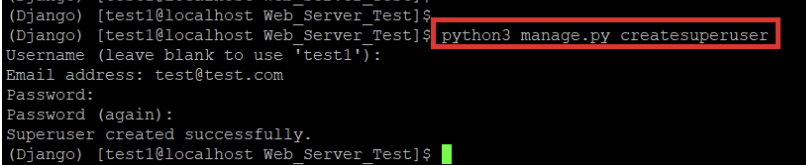
In this post, I would like to show how to use 'AbstractUser' to set the user model in django.
III. AbstractUser
The class 'AbstractUser' will provide basic fields for user model that will be used frequently in web development. At the start, let me create new django project and app. Then, set the config for django app with 'settings.py', 'urls.py' etc. I will create urls for only control accounts, so structure will be shown like below.
| URL | METHOD | Description |
| / | GET | Main page for GET. It contains 'sign-up'/'sign-in' and 'sign-out' button |
| /signup | GET,POST | GET for show sign up form and Post for save account data to database. |
| /signin | GET,POST | GET for show sign in form and Post for user login and assign cookie session. |
| /signout | POST | User logout and remove cookie session |
# * Do not migrate database after set the development environment. After setting the structure and config, create models.py file and fill it out with below contents.
1
2
3
4
5
6
7
8
9
# [models.py]
#
#from django import models
#from django.contrib.auth.models import AbstractUser
#
#
#class MyUser(AbstractUser):
#    pass
#
The class 'MyUser' contains fields in 'AbstractUser' because it inherits 'AbstractUser' class. Therefore if you connect 'ModelForm' to 'MyUser' class, you can see some fields having relation with signup.
1
2
3
4
5
6
7
8
9
10
11
# [forms.py]
#
#from django import forms
#from django.contrib.auth import login, logout, get_user_model
#
#
#class SignUpForm(forms.ModelForm):
#    class Meta:
#        model = get_user_model()
#        fields = "__all__"
#
You can see the method name 'get_user_model()' in the class 'Meta'. It returns the main user model that assigned in 'settings.py' file as a variable name 'AUTH_USER_MODEL'. Because general web-sites have only one accounts database table, django provide function to set the basic user model at the django config. To set this value, add 'AUTH_USER_MODEL' variables in 'settings.py' and set the value '{app_name}.{user_class_name}'. For example, my user model's name is 'MyUser' and it is located in 'testuser' application, 'AUTH_USER_MODEL' will be 'testuser.MyUser'.
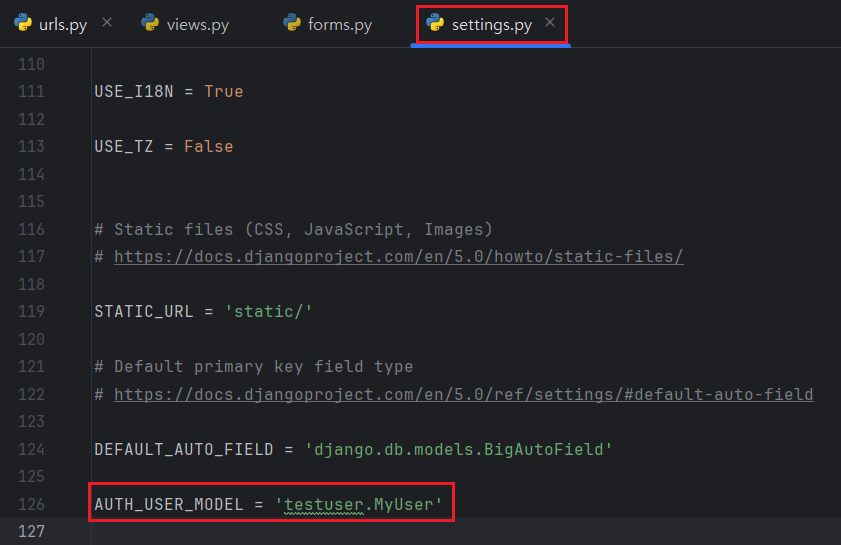
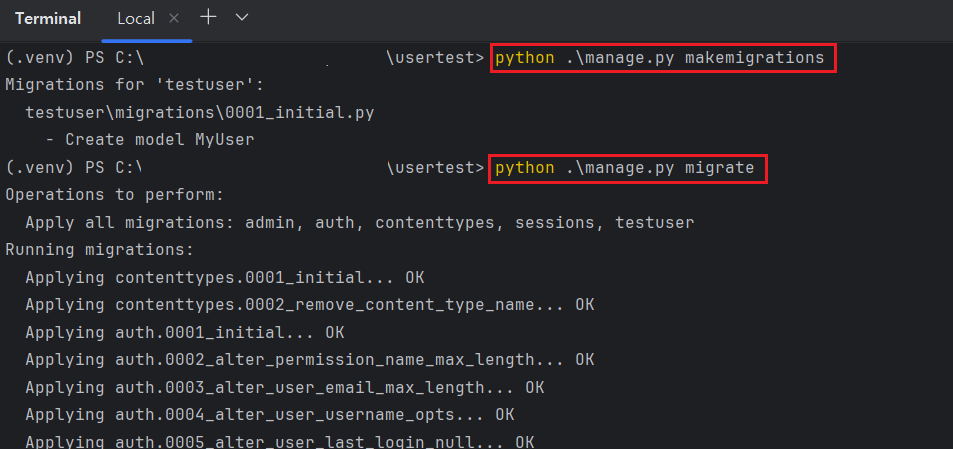
After adding new config, migrate all models by typing command 'python manage.py makemigration' and 'python manage.py migrate'.
1
2
#  python manage.py makemigrations
#  python manage.py migrate
Fill out your views.py and create html file with DTL, you can see the basic signup site that django provides as a basic form. In fact, you saw these fields at the source file of AbstractUser.
1
2
3
4
5
6
7
8
9
10
11
12
13
14
15
16
17
18
19
20
21
# [views.py]
#
#from django.shortcuts import render, redirect
#from django.views.decorators.http import require_http_methods, require_GET
#from testuser.forms import SignUpForm, SignInForm, logout
#
# ...
#@require_http_methods(["GET", "POST"])
#def signup(request):
#    context = {"forms": SignUpForm()}
#
#    if request.method == "POST":
#        form = SignUpForm(data=request.POST)
#        if form.is_valid():
#            form.save()
#            return redirect(to="/")
#
#    return render(request=request,
#                  template_name="signup.html",
#                  context=context)
#
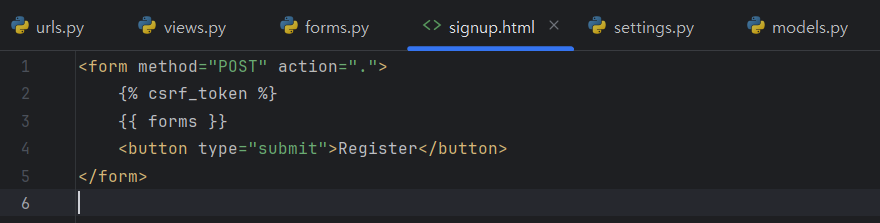
Create a submit button on html file and try to create new user. 'AbstractUser' has built-in UserManager, so there are no issue with signup process.
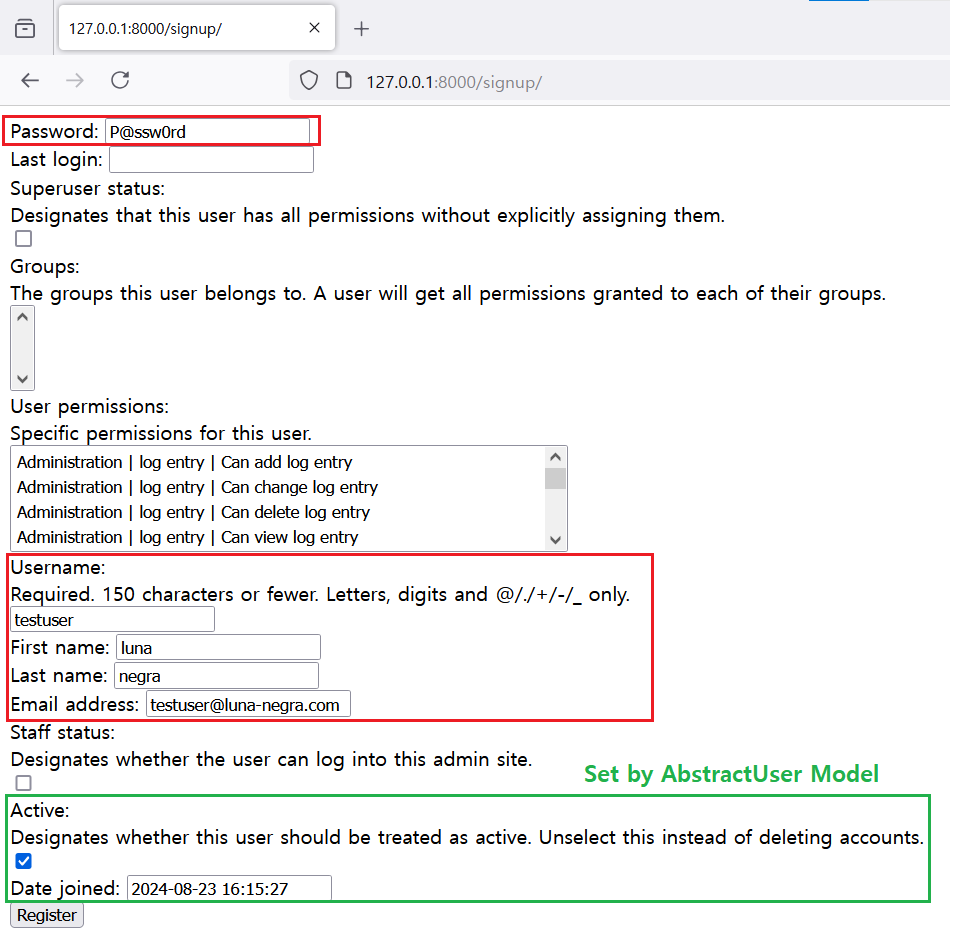
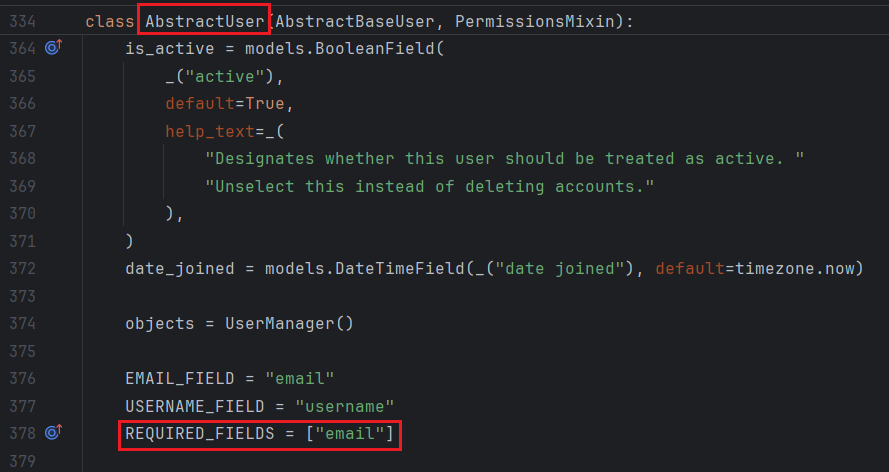
I did not fill all fields but signup will be success because I filled out required fields that designed on the 'AbstractUser' class.
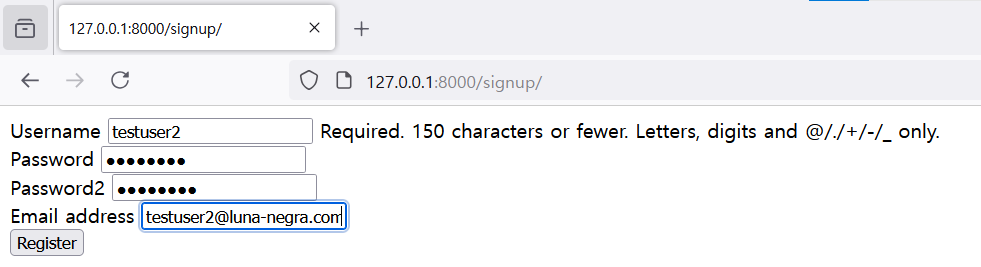
However, some of these forms are not requisite and some have values automatically. It is better to remove some fields on the screen. In addition, it is also better to check input password by typing it again. To this, I edit 'forms.py' file like below.
1
2
3
4
5
6
7
8
9
10
11
12
13
14
15
16
17
18
19
20
21
22
23
24
25
26
27
# [ forms.py ]
#
#from django import forms
#from django.contrib.auth import login, logout, get_user_model, authenticate
#from django.contrib.auth.hashers import make_password
#from django.core.exceptions import ValidationError
#
#
#class SignUpForm(forms.ModelForm):
#    password2 = forms.CharField(widget=forms.PasswordInput())
#
#    class Meta:
#        model = get_user_model()
#        fields = ["username", "password", "password2", "email"]
#        widgets = {"password": forms.PasswordInput()}
#
#    def clean_password(self):
#        password = self.data.get('password')
#        password_retype = self.data.get('password2')
#
#        if len(password) < 8:
#            raise ValidationError(message="Minimum password length should be 8.")
#        elif password != password_retype:
#            raise ValidationError(message="Password is not match")
#        return make_password(password=password)
# ...
#
#  * make_password will encrypt plain text with sha256.
#  * clean_password() will check the password policies.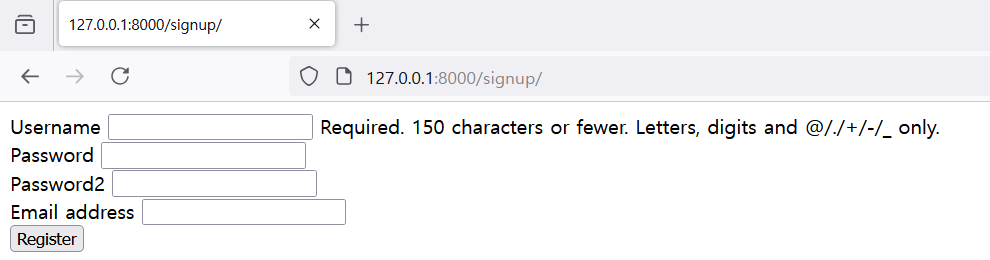
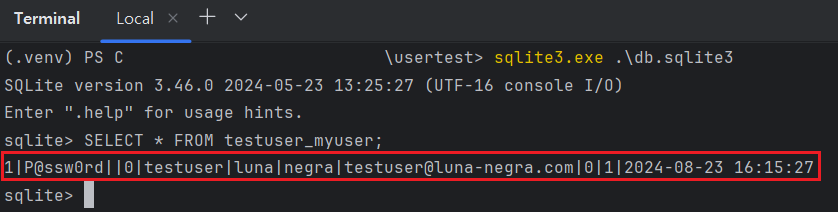
This format is also able to save new account info to database because REQUIRED_FIELDS are all filled out.

Now, Let me create sign-in and sign-out functions. Sign-out does not require fields but only button, but sign-in requires inputs for username and password. So, a few lines of codes will be added to 'forms.py' and 'views.py' files.
1
2
3
4
5
6
7
8
9
10
11
12
13
14
15
16
17
18
19
20
21
22
23
# [ forms.py ]
#
# ...
#class SignIn(forms.Form):
#    class Meta:
#        model = get_user_model()
#        fields = ["username", "password"]
#        widgets = {"password": forms.PasswordInput()}
#
#    def clean(self):
#        pass
#
#    def login(request=request):
#        username = self.data.get('username')
#        password = self.data.get('password')
#
#        user = authenticate(request=request, username=username, password=password)
#        if user is None:
#            return False
#
#        login(request=request, user=user)
#        return True
#
#  * 'authenticate()' method will return UserModel objects after checking that the username and password(encrypted) are match.
#  * 'login()' method will give cookie session id to user's browser. When this cookie is alive, user can maintain its connection.
1
2
3
4
5
6
7
8
9
10
11
12
13
14
15
16
17
18
19
# [ views.py ]
#
# ...
#@require_http_method(["GET", "POST"])
#def signin(request):
# context = {"forms": SignInForm()}
# if request.method == "POST":
# form = SignInForm(request.POST)
# if form.is_valid() and form.login(request=request):
# return redirect(to="/")
#
# return render(request=request,
# template_name="index.html",
# context=context)
#
#def signout(request):
# logout(request=request)
# return redirect(to='/')
#
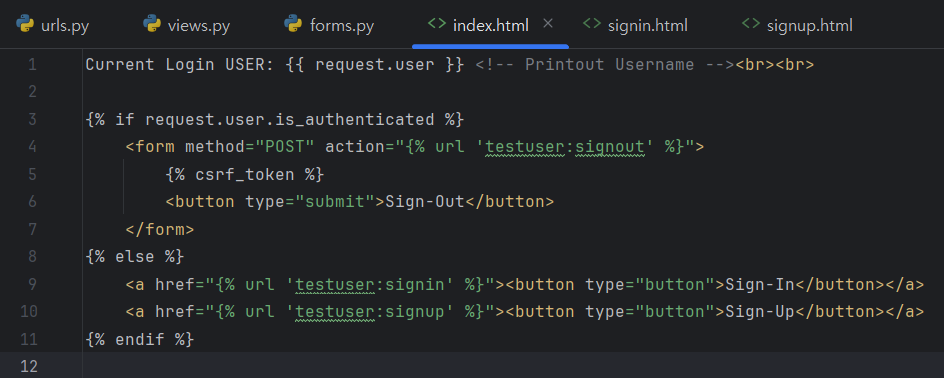
Before testing sign-in and sign-up with testuser1 and testuser2, I add DTL for request data to index.html file.
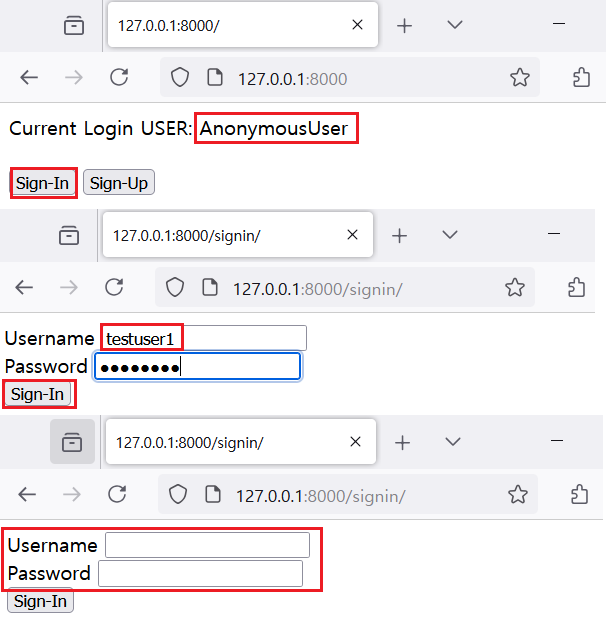
Now, Let me test sign in and sign out. I registered 'testuser1' with plain text password, so testuser1 is blocked by 'authenticate()' method. So, browser still show the signin.html file.
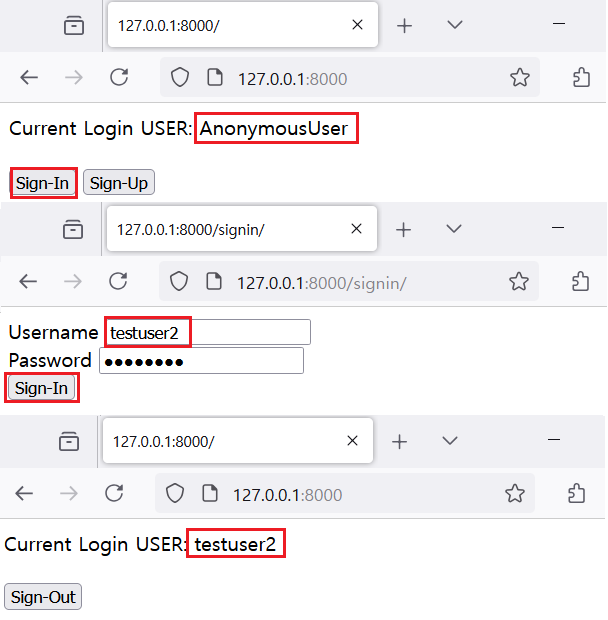
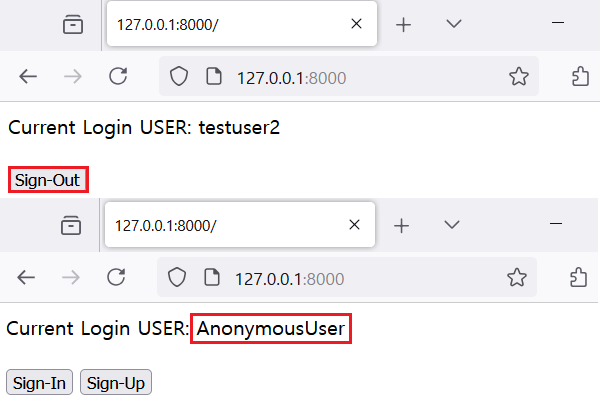
Once user is logged in, 'request.user' in index.html will be converted from Anonymous to logged in username and button is also changed to sign-out. If the log-in user click the sign-out button, then 'reqeust.user' will return to AnonymousUser again.
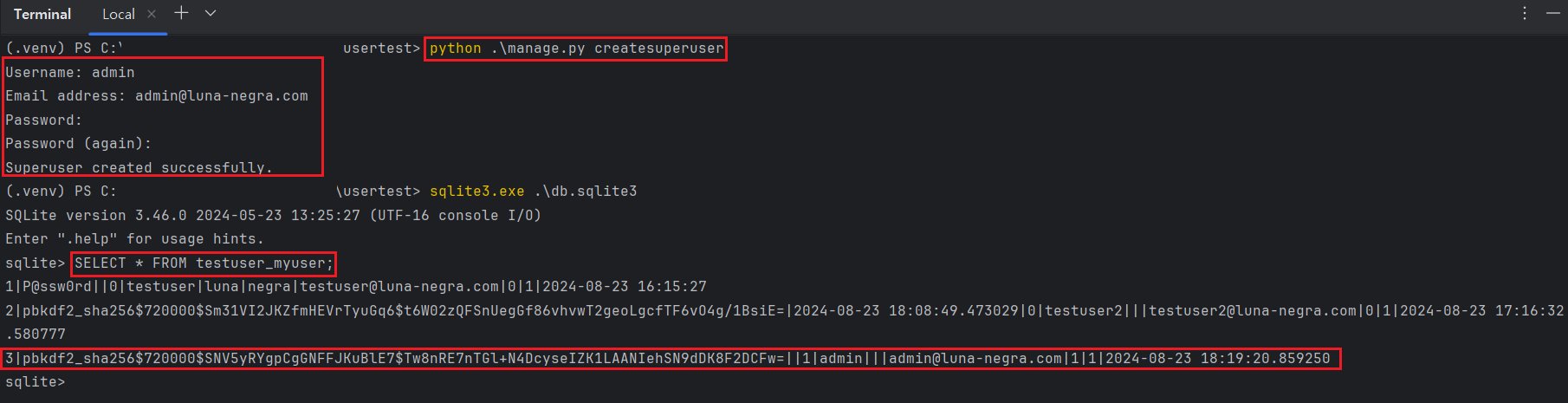
The site does not give any method to create superuser, but you can create new superuser by command prompt.
1
#  python manage.py createsuperuser