$ 0009. Create Template and Validate Input with Django ModelForms
| Author | luna-negra |
| Created On | 2024-08-18 15:22:00+00:00 |
| Edited On | 2024-08-18 15:22:00+00:00 |
| Tags | #django #model forms #simple website example |
I. Preview
In my previous post, you may recognise one inconvenient thing during creating a method for saving data. Because, all inputs are validated, but you have to split them manually and set the value to arguments in a DB Class.
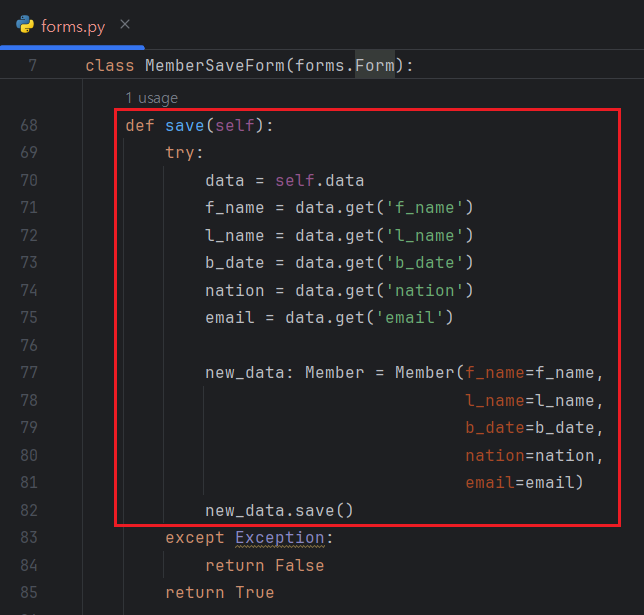
It makes web developers very annoyed. Fortunately, django provides so called 'ModelForm' so let web developers be free from writing code for DB saving. This ModelForm is also built-in class of django, so if your own form class inherit this ModelForm, your form class connects to designated model form automatically.
II. Architecture of Django Model Form
The 'ModelForm' is located in package 'django.forms'. As you can see the source code of class 'ModelForm', this class has an arguments named metaclass.
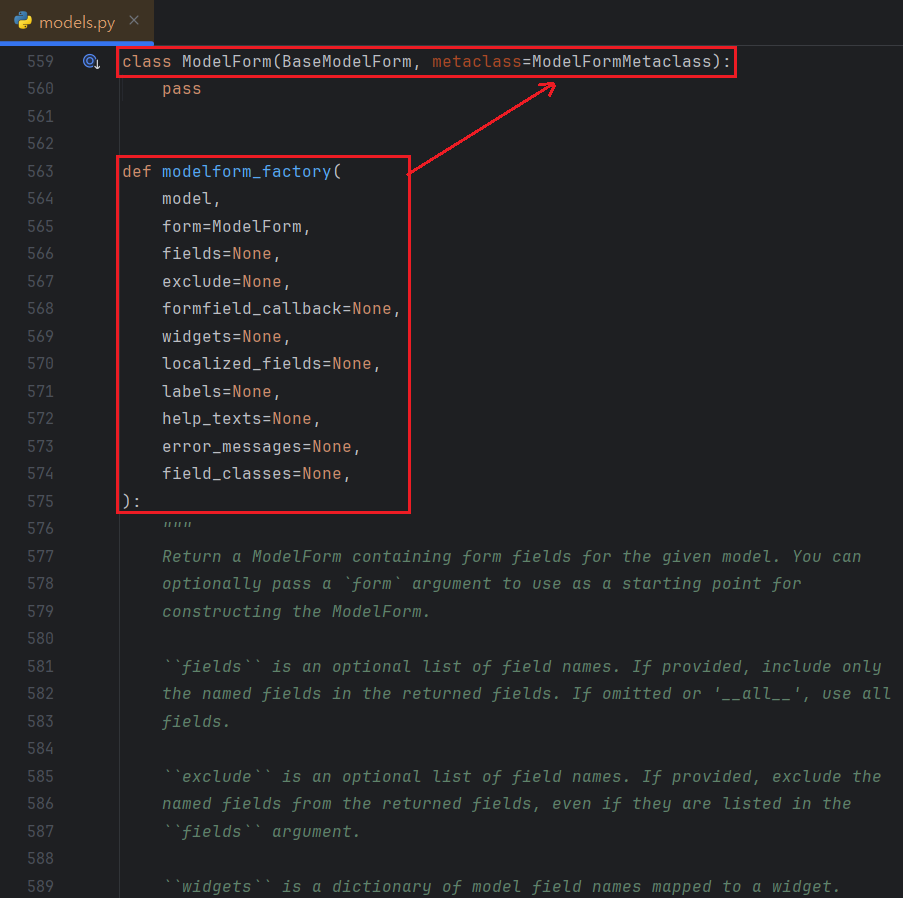
This metaclass is for setting options for your forms class which inherits ModelForm. In order to use this form class, First important thing is linking model class and your form class. In source code of ModelForm, you can also see the variable named 'opts.model' and this variable is charge of linking model class.
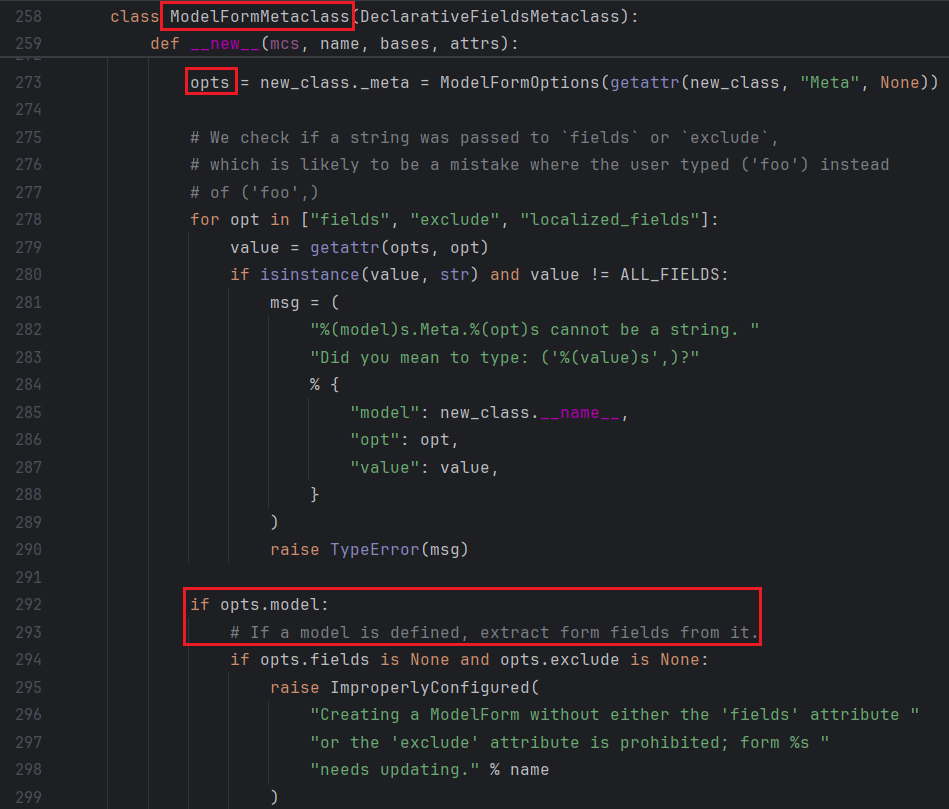
So, to set the model class to connect to your form class, first you have to create inner class in your form class, and name it as 'Meta'. Then, design a model class name to a variable 'model' in Meta class.
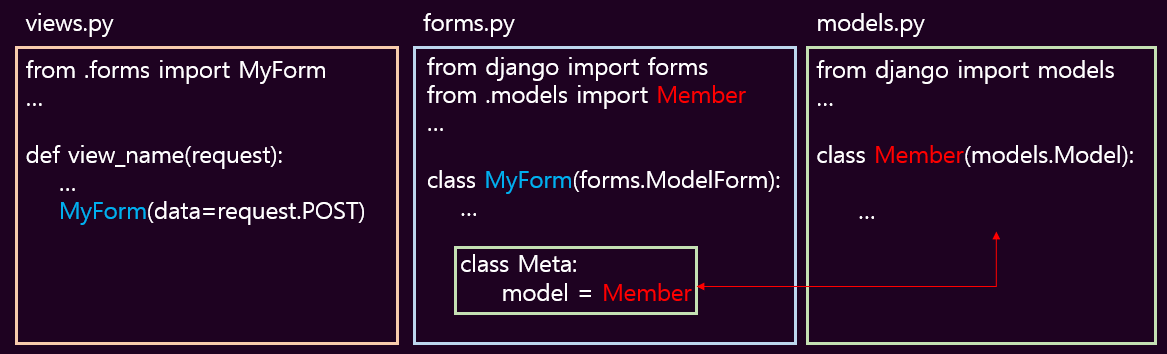
Model class has a various fields and the Meta class in your form class gets these info automatically. The Meta class also have a function to filter the fields, so you can choose which fields will be shown in web browser or not.
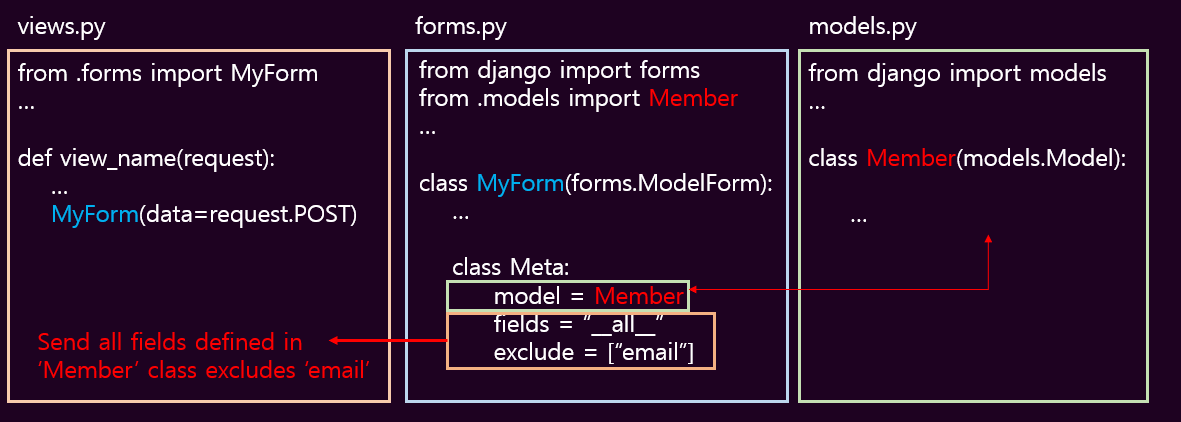
The related class variables are 'fields' and 'exclude'. 'fields' will be a list of fields name or string "__all__". If the value of 'fields' is '__all__', all fields in model class will be displayed on the screen. In contrast, you can hide fields by adding fields name to list and assign the list to variable 'exclude'.
That's all for a basic setting to use ModelForm. If you are familiar with django's basic form, you can also easily know how django ModelForm works. With referring this architecture, let me create a simple website.
III. Create a Simple Example
I will reuse my database model which was used at my previous post. This model stores personnel information input by user, and this model has 5 fields - f_name(First Name), l_name(Last Name), b_date(Birthdate), nation and email.
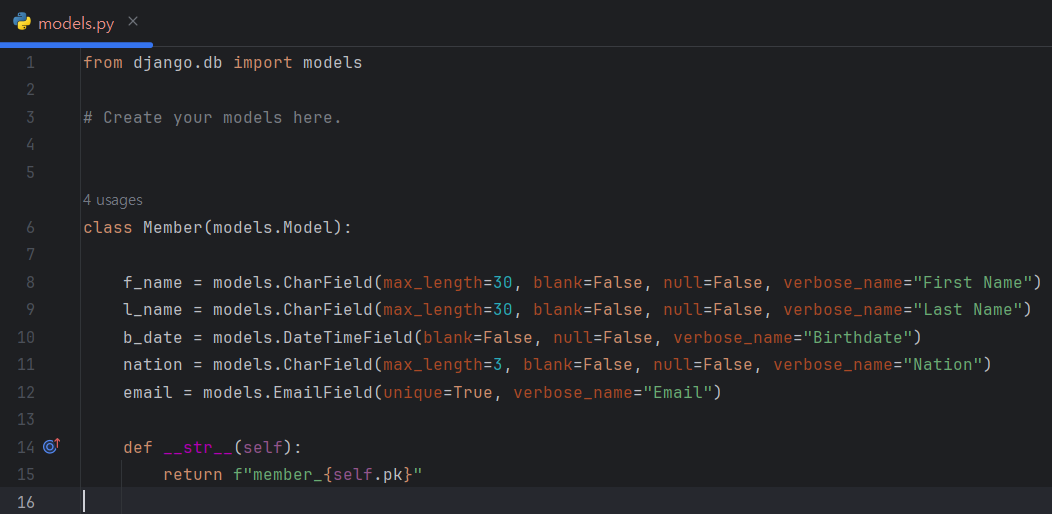
I will create an index page only and make this page save the data when user input his or her information and click send button. Considering it, I can write down the code of 'forms.py' file like below.
1
2
3
4
5
6
7
8
9
10
11
12
# [ forms.py ]
#
#from django import forms
#from formtest.models import Member
#
#
#class MemberSaveForm(forms.ModelForm):
#    class Meta:
#        model = Member
#        fields = "__all__"
#        exclude = []
#
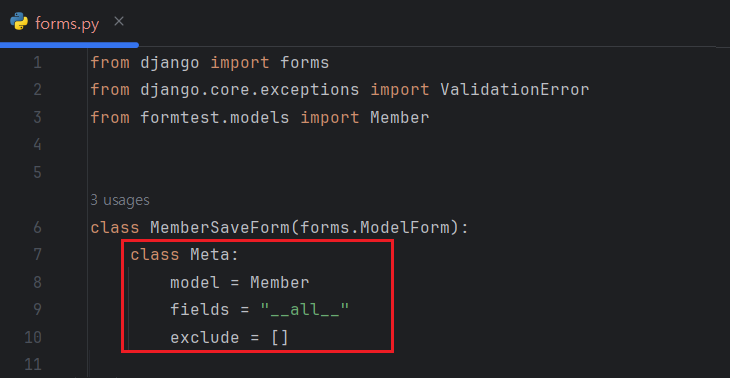
In this status, you can see the all fields from 'Member' class as HTML tag on your browser when you start your django server. Surely, you have to write down proper DTL on your rendering HTML file.
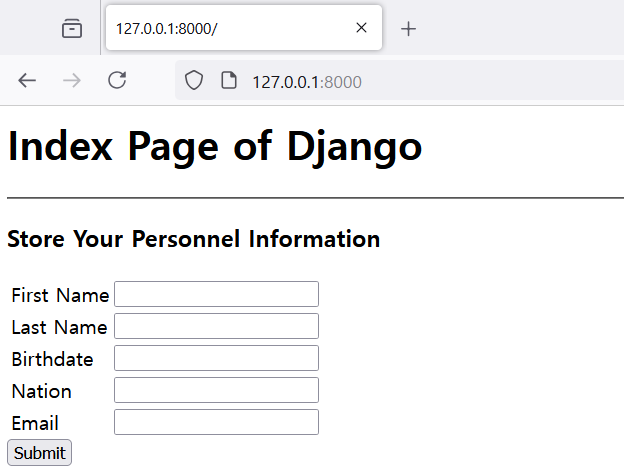
Now, the web site is able to send information to your form class. However, the form class does not have any code to save received information yet. Inherited class 'ModelForm' has a method named 'save()' and this is a main part for saving input data to your database file. Therefore, you just use this method after finishing validating process at the 'views.py' file.
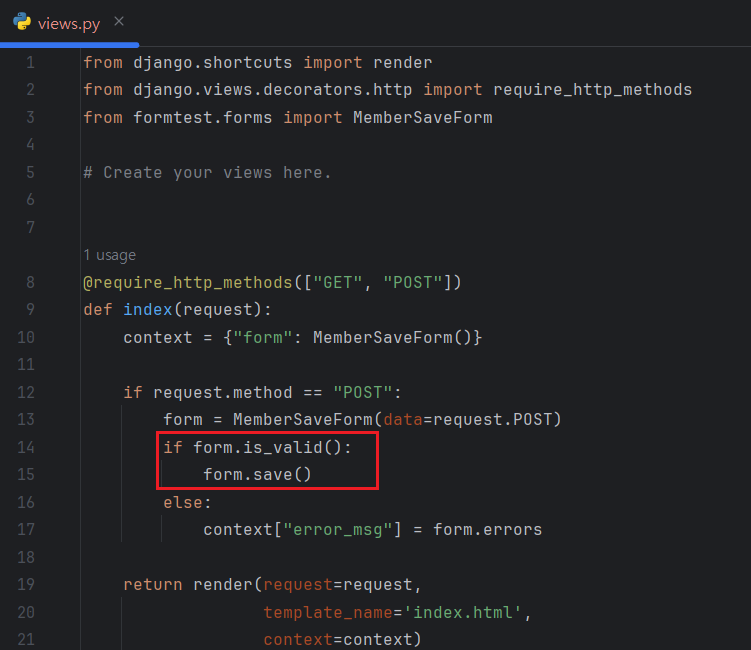
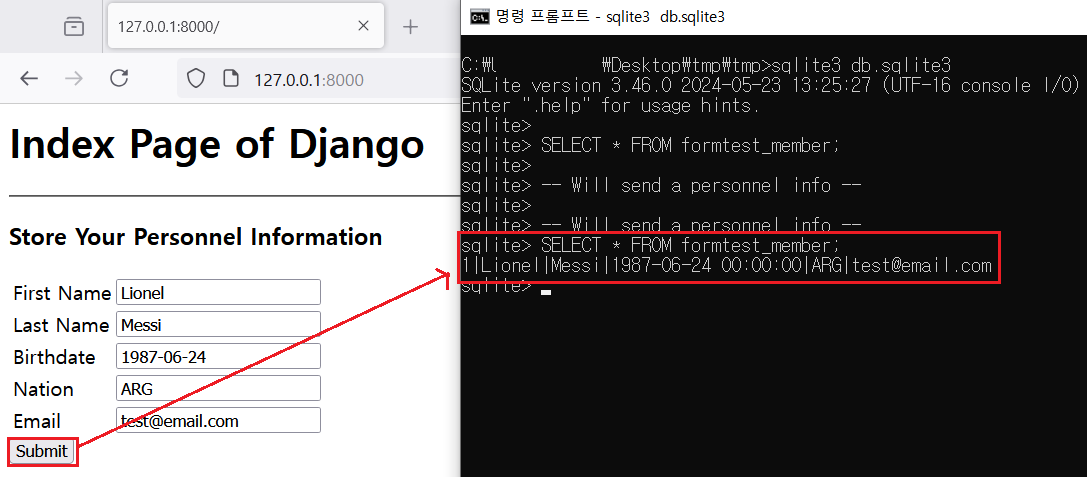
Now, Let me send random data via my 'index.html' and see what will be added on my database.
If you want to change the input tags on your HTML, just exclude some fields which you want to edit and add new fields objects into your forms file. Let me change 'b_date', 'nation' and 'email' to make users to fill out their information more easily.
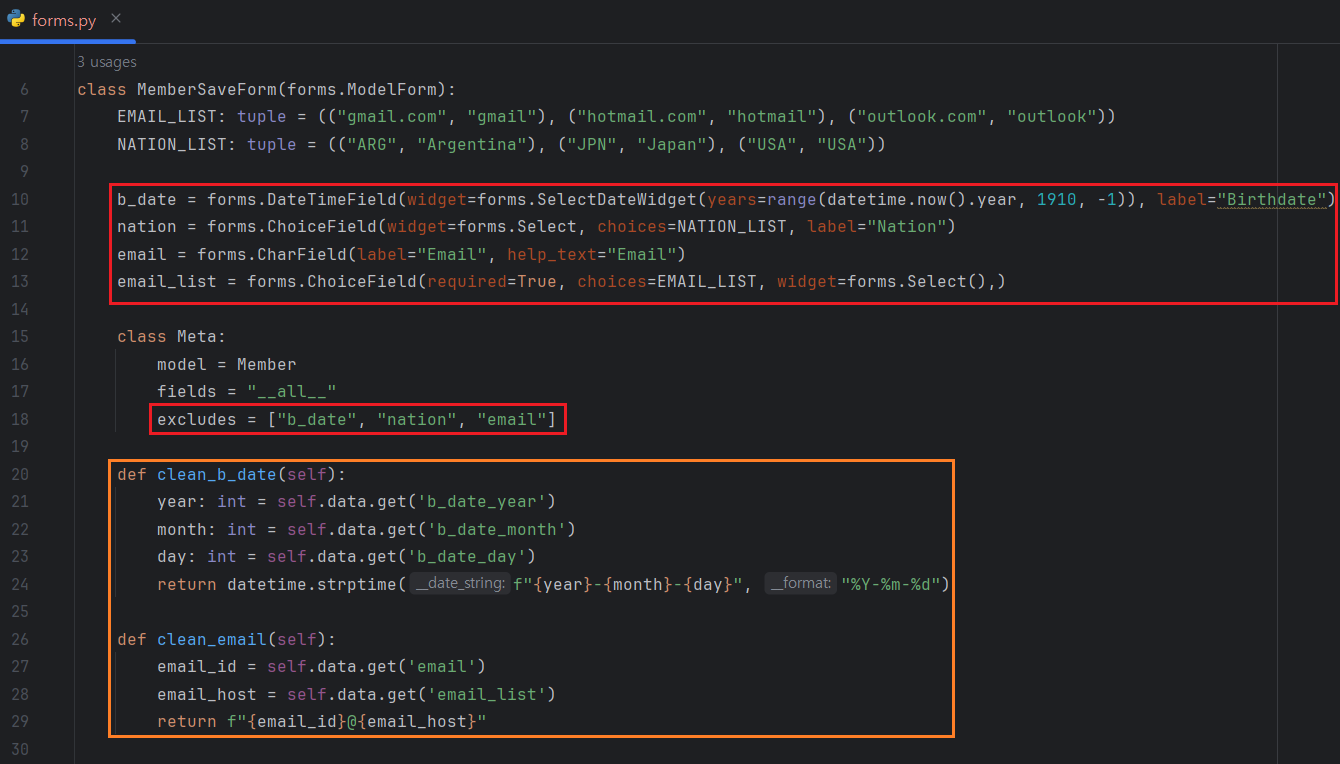
'save()' method in ModelForms will save the data extracting from 'cleaned_data'. So, If you edit fields at the forms.py, do not forget to validate input data with 'clean_{Model's_Fieldname}()' method. In the example above, my form class receives the birthdate with 'b_date_year', 'b_date_month' and 'b_date_day' and there are no 'b_date' fields in 'self.data'. It means that if you only use 'clean()' method, you can not save user's input even thought the input values are successfully validated.
IV. References